|
VOOZH | about |
|
VOOZH | about |
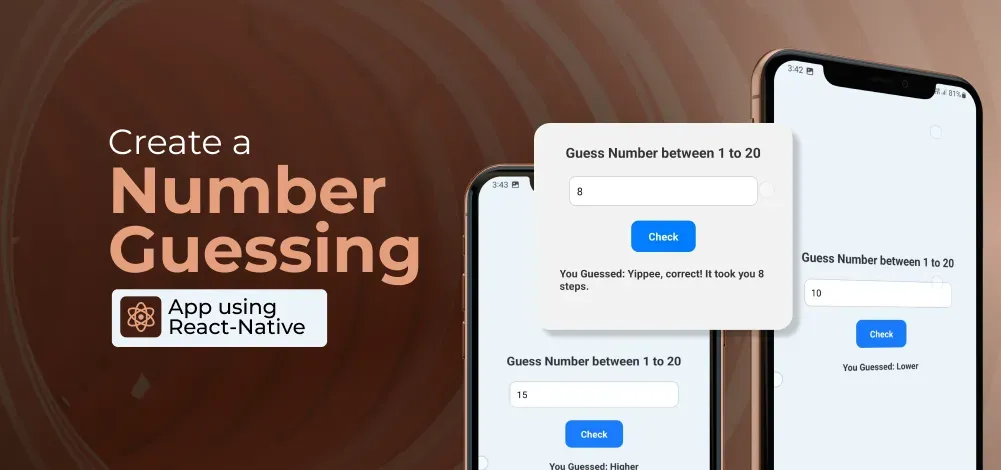
The Number Guessing App is a simple mobile game where the user tries to guess a random number generated by the app. The app provides feedback to the user, indicating whether their guess is too high or too low, and keeps track of the number of attempts it takes to guess the correct number. In this article, we will learn how to create a Number-Guessing Game using React Native.
To give you a better idea of what we’re going to create, let’s watch a demo video.
Note: This Section is to interact with the app which you are going to build.
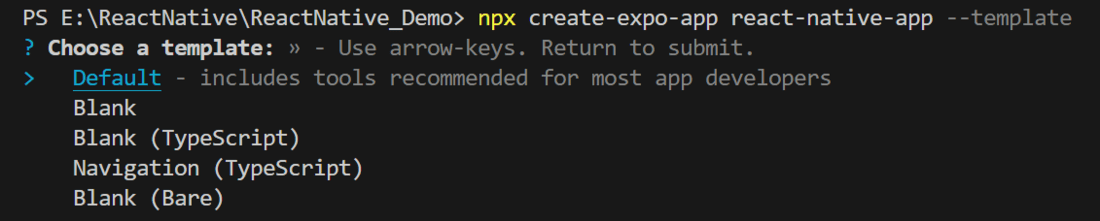
Now, create a project with the following command.
npx create-expo-app app-name --template
Note: Replace the app-name with your app name for example : react-native-demo-app
Next, you might be asked to choose a template. Select one based on your preference as shown in the image below. I am selecting the blank template because it will generate a minimal app that is as clean as an empty canvas in JavaScript.
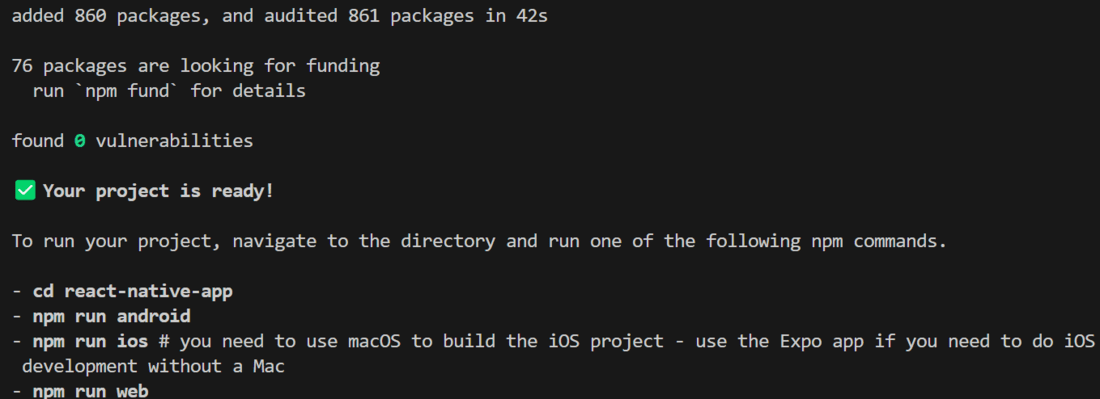
It completes the project creation and displays a message: "Your Project is ready!" as shown in the image below.
Now go into your project folder, i.e., react-native-demo
cd app-nameStart the server by using the following command.
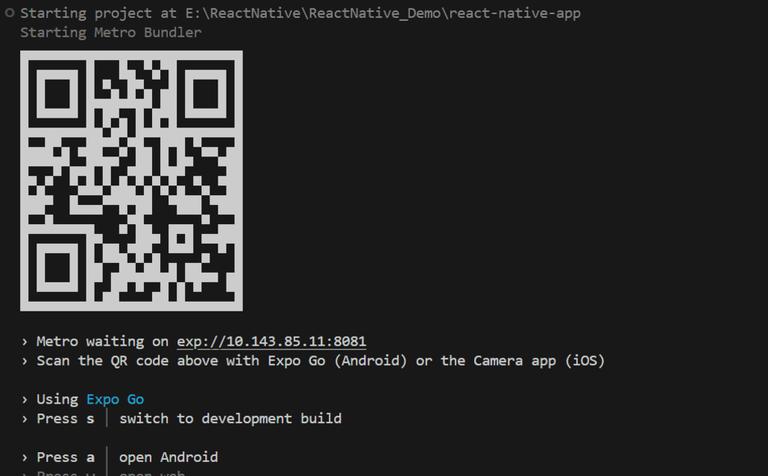
npx expo startThen, the application will display a QR code.
Let's dive into the code in detail.
Import required libraries at the top of the file.
Create a StyleSheet to style components like container, head, input, etc.
This title explains what the app does. We use the text "Guess a Number between 1 to 20" to show that the app is to play Guess the Number Game.
This TextInput is used to get a number from the user. We will show what the user types using a state variable called "term." When you type or change the text in the TextInput component, we will use the handleChange function with the onChangeText prop to update the value.
This button is used to call the checkGuess function when the user taps on it. It is made with the TouchableOpacity component, which makes the Text component interactive for the user.
Before we talk about the checkGuess function, let's look at the generateRandomNumber function. This function creates a random number between 1 and 20 using Math.floor and Math.random. It saves this number in the secretNum state variable. We use useState to set this up, and it generates and updates the number only once, when the app starts.
This function checks the number that a user inputs, called term, and compares it with a secret number called secretNum. It stores the result in a variable called newResult based on a few conditions:
Finally, the function updates the state with the value of newResult using setResult on the result state variable, so the user can see the result directly.
Show the result by putting the result state variable inside a Text Component. This variable should be updated by the checkGuess function.
Now, wrap all design code with a View component, return it from the App component, and place all methods and useStates within the App component. Ensure to export the App.
App.js:
Your Number Guessing App is now ready for users to enjoy! You can expand on this basic example by adding more features and enhancing the user interface.