VOOZH about

URL: https://www.geeksforgeeks.org/react-native/how-to-add-searchbar-in-react-native/

⇱ Adding a SearchBar in React Native - GeeksforGeeks


  • Courses
  • Tutorials
  • Interview Prep

Adding a SearchBar in React Native

Last Updated : 17 Feb, 2026

Now, we will add search functionality in React Native to make a FlatList searchable. We will use the SearchBar component to filter and display matching items from the list.

  • Search functionality helps users quickly find specific items from a FlatList.
  • The SearchBar component is used to capture user input for filtering data.
  • The FlatList updates dynamically based on the search query entered by the user.
  • TextInput acts as the search bar.
  • useState stores search text and filtered data.
  • FlatList displays filtered results based on search input.

Syntax

<SearchBar
 placeholder="Type Here..."
 onChangeText={this.updateSearch}
 value={search}
/>

Approach

  • The SearchBar adds a platform-specific search input box for entering search text.
  • The placeholder prop shows default text when the search bar is empty.
  • Styling props are used to make the search bar light-themed with rounded edges.
  • The search state stores the current text entered by the user and updates dynamically.
  • The autoCorrect option is disabled, and the search function is triggered whenever text is entered.

Props in SearchBar

The SearchBar component provides various props to customize its appearance, behavior, and functionality in a React Native application.

  • placeholder – Sets the default text displayed when the search bar is empty.
  • value – Stores and controls the current text entered in the search bar.
  • onChangeText – Function called whenever the user types text.
  • onClear – Function triggered when the clear button is pressed.
  • autoCorrect – Enables or disables automatic spelling correction.
  • autoCapitalize – Controls automatic capitalization of characters.
  • lightTheme – Applies a light theme style to the search bar.
  • round – Makes the search bar corners rounded.
  • showCancel – Displays a cancel button in the search bar (mainly on iOS).
  • platform – Specifies the platform style (android, ios, or default).
  • containerStyle – Applies custom styling to the search bar container.
  • inputStyle – Applies custom styling to the text input field.
  • inputContainerStyle – Styles the input container inside the search bar.
  • placeholderTextColor – Changes the color of the placeholder text.
  • clearIcon – Customizes the clear icon.
  • searchIcon – Customizes the search icon.

Step-by-Step Implementation

Step 1: Create a React Native Project

Now, create a project with the following command.

npx create-expo-app app-name --template

Note: Replace the app-name with your app name for example : react-native-demo-app

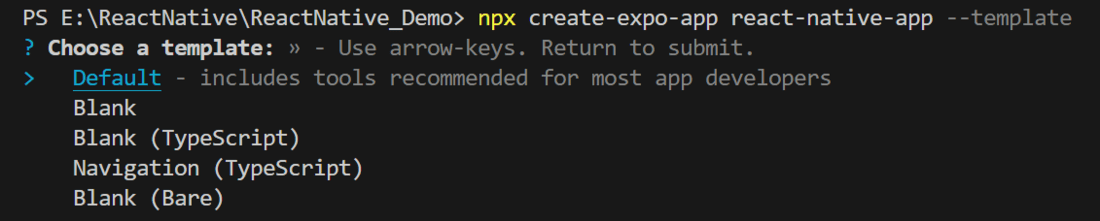
Next, you might be asked to choose a template. Select one based on your preference as shown in the image below. I am selecting the blank template because it will generate a minimal app, as clean as an empty canvas in JavaScript.

👁 Image

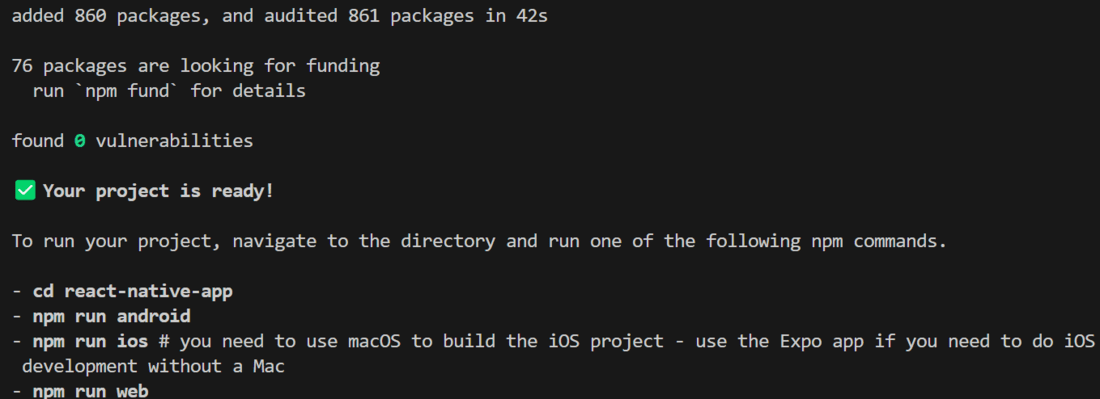
It completes the project creation and displays a message: "Your Project is ready!" as shown in the image below.

👁 Image

Now go into your project folder, i.e., react-native-demo

cd app-name

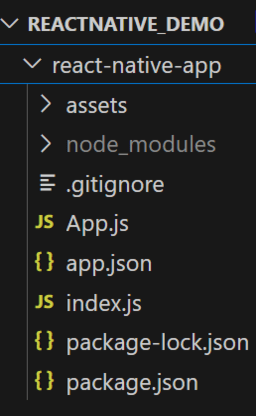
Project Structure

👁 Image

Step 2: Run  Application

Start the server by using the following command.

npx expo start

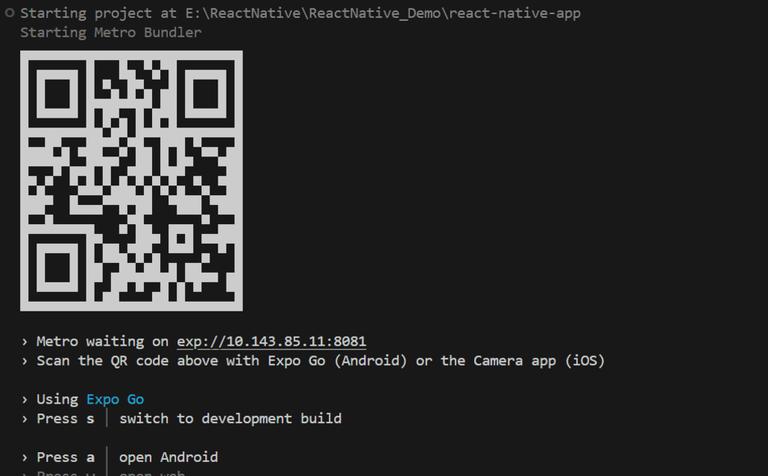
Then, the application will display a QR code.

1. For the Android users,

  • For the Android Emulator, press "a" as mentioned in the image below.
  • For the Physical Device, download the "Expo Go" app from the Play Store. Open the app, and you will see a button labeled "Scan QR Code." Click that button and scan the QR code; it will automatically build the Android app on your device.

2. For iOS users, simply scan the QR code using the Camera app.

3. If you're using a web browser, it will provide a local host link that you can use as mentioned in the image below.

👁 Image

Step 3: Start Coding

Now let's see the implementation of how to add a search bar using the above approach.

- Import libraries: Import required libraries at the top of the file.


- StyleSheet: Create a StyleSheet to style components like container, item, and itemText.

- Sample Data: This is the list of data that is displayed on the screen using FlatList.

- SearchBar: This Component is used to take input from the user and search for the user's requested item in the list.

- FlatList: This Component is used to display a list of data in a vertically or horizontal scrollable list.

- Item: This functional component is used to render each item in Flatlist with respective style like background color, padding, border radius ,text color, etc.

- arrayholder: It holds the original data so that we can filter it based on the search input.

- searchFunction: This function is the business logic for search functionality.

- useState: This is used to manage the state of the filter Data and the search input value.

- App Component: Wrap the SearchBar and FlatList with a View and return that inside the App function to render and place the useState, arrayholder inside the App function, also make sure to export the App.

Complete Source Code

App.js

Output

Comment
Article Tags:

Explore