|
VOOZH | about |
|
VOOZH | about |
Fetching JSON (JavaScript Object Notation) data in React Native from Local (E.g. IOS/Android storage) is different from fetching JSON data from a server (using Fetch or Axios). It requires Storage permission for APP and a Library to provide Native filesystem access.
Implementation: Now let’s start with the implementation:
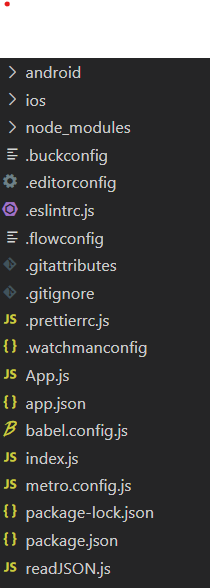
npm install -g expo-cliexpo init jsonDemocd jsonDemoProject Structure: It will look like the following.
Example: Fetching data from a local JSON file in React Native.
Step 1: Install react-native-fs using the following command:
npm install react-native-fsNote: If you are getting errors like Attempt to get length of null array EUNSPECIFIED then in the android manifest file add the following code.
Step 2: Create a JSON file named data.json and place it in android's "/storage/emulated/0/" directory which is default ExternalStorageDirectoryPath of android. You can also change the location of the JSON file but make sure to store its path which will be required when reading the file.
All possible Directories that can be accessed are mentioned in react-native-fs documentation.
{
 "type":"Fruits",
 "example":[
 {"name":"banana"},
 {"name":"apple"},
 {"name":"orange"},
 {"name":"mango"},
 {"name":"grape"}
 ]
}
Step 3: In the App.js file, we will import react-native-fs and call a function named readFile which accepts file path and encoding as parameters and returns the file content. Inside "/storage/emulated/0/" I have created a folder named DATA and inside is the JSON file.
Example:
Start the server by using the following command.
npx react-native run-androidOutput:
To get the Directory (e.g. ExternalStorageDirectory) files paths we will use the function readDir which accepts directory (for all available directory types refer to the documentation of react-native-fs) type as a parameter and returns an array of objects containing file paths and information.
Reference: https://github.com/itinance/react-native-fs