|
VOOZH | about |
|
VOOZH | about |
Text input fields play a vital role in React Native applications, facilitating user interactions. However, certain situations demand restricting input to numeric values exclusively. In this article, we will delve into two distinct approaches to achieving this desired functionality.
Step 1: Create a react native application by using this command
npx create-expo-app <<Project-Name>>Step 2: After creating your project folder, i.e. "Project-Name", use the following command to navigate to it:
cd <<Project-Name>>To restrict TextInput to numeric values only, React Native provides properties like keyboardType="numeric" and validation checks to ensure users input numbers.
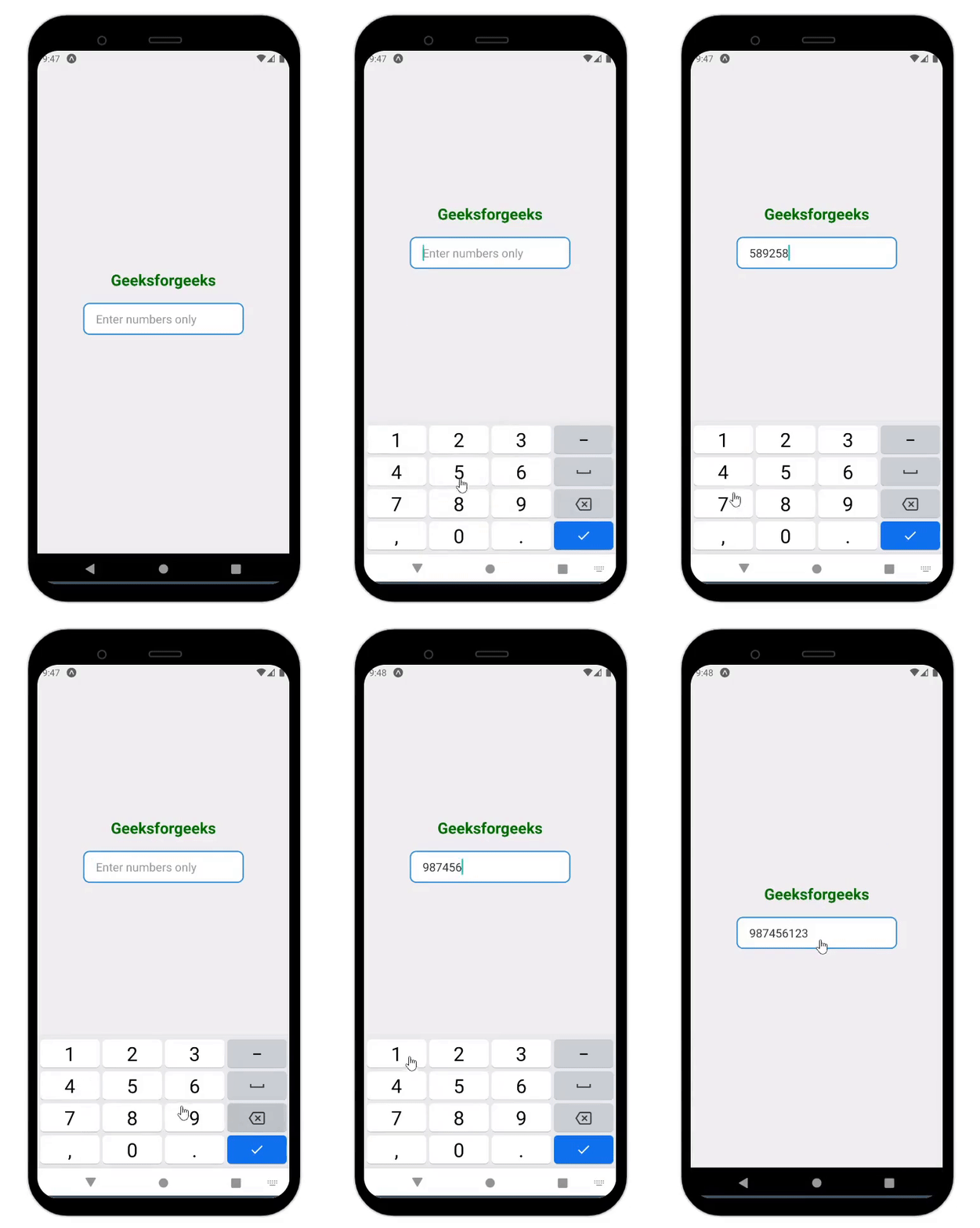
In this approach, regular expressions are utilized to filter out non-numeric characters from the input text. The handleChange function applies a regular expression (/[^0-9]/g) to eliminate any characters that fall outside the numeric range. This guarantees that only numbers remain, thereby enhancing validation of user input. Additionally, by specifying the keyboardType prop as "numeric", mobile devices display the numeric keyboard, further enhancing the user experience.
Example:
Steps to Run:
To run react native application use the following command:
npx expo startnpx react-native run-androidnpx react-native run-iosOutput:
👁 How-to-Restrict-TextInput-Accept-Only-Numbers-In-React-Native
In this approach we are using the isNaN function to restrict input in React Native applications. When users input text, the function verifies if it is a valid number. If it fails this check, the input is disregarded, effectively preventing non-numeric entries. By employing this method, only numerical values are accepted, ultimately improving data accuracy and enhancing usability.
Example:
Output:

.png)