|
VOOZH | about |
|
VOOZH | about |
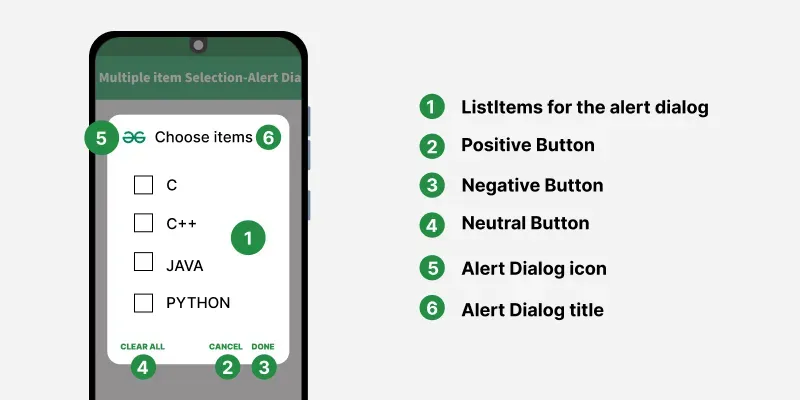
In the previous article Alert Dialog with SingleItemSelection in Android, we have seen how the alert dialog is built for single item selection. In this article, it's been discussed how to build an alert dialog with multiple item selection. Multiple Item selection dialogs are used when the user wants to select multiple items at a time. Have a look at the following image to differentiate between Single Item selection and Multiple Item selection alert dialogs.
👁 Alert Dialog with MultipleItemSelection in Android
To create a new project in Android Studio please refer to How to Create/Start a New Project in Android Studio.
The code for that has been given in both Java and Kotlin Programming Language for Android.
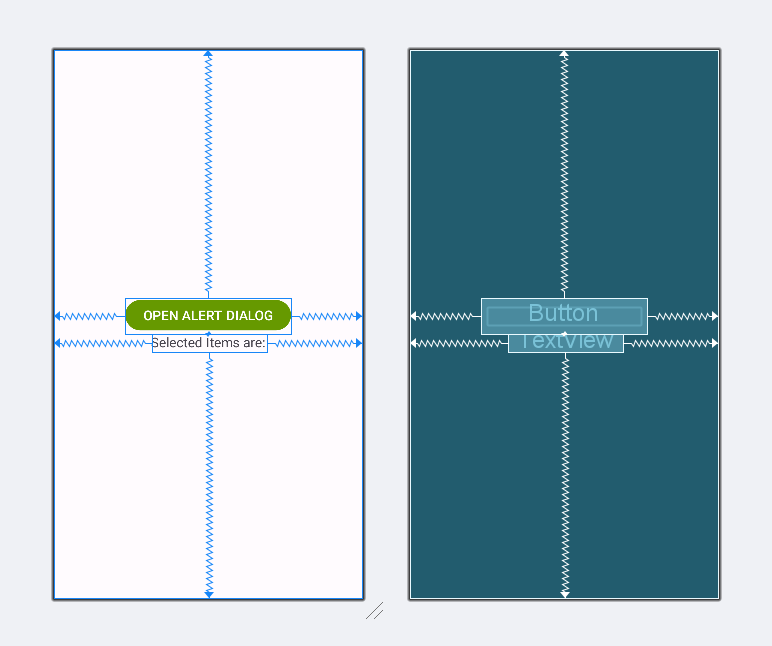
Next, go to the activity_main.xml file, which represents the UI of the project. Below is the code for the activity_main.xml file. Comments are added inside the code to understand the code in more detail.
activity_main.xml:
Go to the MainActivity File and refer to the following code. Below is the code for the MainActivity File. Comments are added inside the code to understand the code in more detail.
The function that needs to implement the multiple item selection for alert dialog is discussed below.
// documentation code
public Builder setMultiChoiceItems(Char Sequence[] items, Boolean[] checkedItems, final OnMultiChoiceClickListener listener) {
 // other codes here
}

// your implementation
builder.setMultiChoiceItems(items, checkedItems) { dialog, which, isChecked ->
 // your code here
}
Invoke the following code to implement the things. Comments are added for better understanding.