|
VOOZH | about |
|
VOOZH | about |
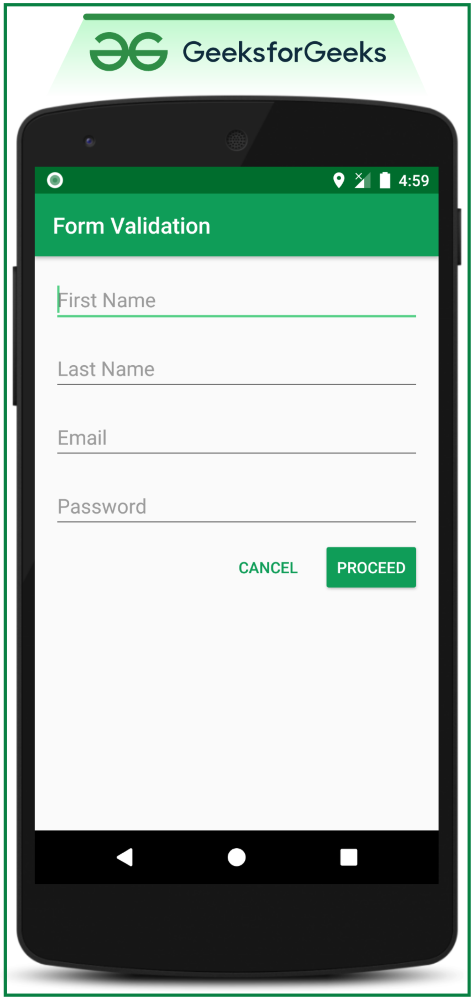
Many of the already existing Android applications when it comes to the forms include user details. If the user enters the wrong information into the text fields or if the user leaves the text fields without filling them, there is a need to provide certain alert information to the TextFields which are unfilled and which contain the wrong information. So in this article, it's been discussed step by step how to give the error texts to the user. Have a look at the following image to get an idea about what has to implement in this discussion. Note that we are going to implement this project using the Java language.
In this discussion, two sample activities are taken for demonstration purposes, because in the first activity the text fields are implemented. If all the data entered in the text fields match the requirements then the user should proceed to the next activity.
Step 1: Create an empty activity project
Step 2: Working with the activity_main.xml
Output UI:
Step 3: Create another empty activity
Step 4: Working with the MainActivity.java file
Here for the instance of the EditText class, setError() is to be called.
When the data filled in the text field is wrong ->
// this gives error message to particular text field
// which contains the wrong data.
editText1.setError("Error message");
When user data is corrected by the user ->
 // There is no need to give the error message when the user
 // corrects wrongly entered text field.
editText1.setError(null);
Invoke the following code. Comments are added for better understanding.
Output: Run on Emulator