|
VOOZH | about |
|
VOOZH | about |
| Renewable | Yes |
|---|---|
| Stackable | Yes (64) |
| Tool | 👁 SlotSprite Axe Required.png: Sprite image for Axe Required in Minecraft |
| Blast resistance | 0.4 |
| Hardness | 0.4 |
| Luminous | No |
| Transparent | Yes |
| Flammable | No |
| Catches fire from lava |
No |
| Map color | 24 COLOR_PURPLE |
| Note block instrument | Default (Harp) |
{
 "title": "Chorus Plant",
 "rows": [
 {
 "field": "Yes",
 "label": "(link to Renewable resource article, displayed as Renewable)"
 },
 {
 "field": "Yes (64)",
 "label": "Stackable"
 },
 {
 "field": "<span class=\"sprite-file\" style=\"height:32px;width:32px;--vertical-align:middle\">(link to File:SlotSprite Axe Required.png article, displayed as 32x32px|link=|alt=SlotSprite Axe Required.png: Sprite image for Axe Required in Minecraft|class=pixel-image|This block can be broken with any tool, but an axe is the quickest)</span>",
 "label": "Tool"
 },
 {
 "field": "0.4",
 "label": "(link to Explosion#Blast resistance article, displayed as Blast resistance)"
 },
 {
 "field": "0.4",
 "label": "(link to Breaking#Blocks by hardness article, displayed as Hardness)"
 },
 {
 "field": "No",
 "label": "(link to Light article, displayed as Luminous)"
 },
 {
 "field": "Yes",
 "label": "(link to Opacity article, displayed as Transparent)"
 },
 {
 "field": "No",
 "label": "(link to Flammable article, displayed as Flammable)"
 },
 {
 "field": "No",
 "label": "Catches fire<br>from (link to lava article, displayed as lava)"
 },
 {
 "field": "<span style=\"white-space: nowrap;\"><span style=\"display: inline-block; background-color: rgb(127, 63, 178); border: 1px solid #888; border-radius: 0.3em; color: transparent; width: 1em; height: 1em; vertical-align: -0.36em; margin-right: -0.1em\"><br></span> 24 COLOR<wbr/>_PURPLE</span>",
 "label": "(link to Map color article, displayed as Map color)"
 },
 {
 "field": "Default (Harp)",
 "label": "(link to Note Block#Instruments article, displayed as Note block instrument)"
 }
 ],
 "invimages": [
 "Chorus Plant"
 ],
 "images": [
 "Chorus Plant.png"
 ]
}
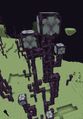
Chorus plants are blocks that naturally generate on the outer islands of the End. They drop chorus fruit when broken. They can also be grown using chorus flowers.
The item form cannot be obtained in Survival mode, even with the Silk Touch enchantment; however, it is available in the Creative inventory.
Chorus plants can be broken using any tool, but an axe is the quickest. Breaking one block of a chorus tree generally causes all chorus plants and flowers above to break due to lack of support. Upon breaking, a chorus plant drops 0–1 chorus fruit. This is not affected by Fortune.[1]
Chorus plants make up most of the chorus trees that are naturally generated on the outer islands of the End. Chorus trees are typically 10–15 blocks in height, although a single plant can reach up to 22 blocks.
Chorus plants are generated as chorus flowers grow.
Chorus plants can be broken to obtain chorus fruit.
Chorus plant blocks break automatically (with a 50% chance of dropping fruit), if the six surrounding blocks are not valid:
👁 BlockSprite oak-planks.png: Sprite image for oak-planks in Minecraftwood sound type | ||||||||
|---|---|---|---|---|---|---|---|---|
| Sound | Closed captions | Source | Description | Identifier | Translation key | Volume | Pitch | Attenuation distance |
| Block broken | Blocks | Once the block has broken | block.wood.break | subtitles.block.generic.break | 1.0 | 0.8 | 16 | |
| Block placed | Blocks | When the block is placed | block.wood.place | subtitles.block.generic.place | 1.0 | 0.8 | 16 | |
| Block breaking | Blocks | While the block is in the process of being broken | block.wood.hit | subtitles.block.generic.hit | 0.25 | 0.5 | 16 | |
| Something falls on a block | Entity-Dependent | Falling on the block with fall damage | block.wood.fall | subtitles.block.generic.fall | 0.5 | 0.75 | 16 | |
| Footsteps | Entity-Dependent | Walking on the block | block.wood.step | subtitles.block.generic.footsteps | 0.15 | 1.0 | 16 | |
👁 BlockSprite stone.png: Sprite image for stone in Minecraftstone sound type | |||||||
|---|---|---|---|---|---|---|---|
| Sound | Closed captions | Source | Description | Identifier | Translation key | Volume | Pitch |
| Block broken | Blocks | Once the block has broken | dig.stone | subtitles.block.generic.break | 1.0 | 0.8–1.0 | |
| Block placed | Blocks | When the block is placed | place.stone | subtitles.block.generic.place | 1.0 | 0.8–1.0 | |
| Block breaking | Blocks | While the block is in the process of being broken | hit.stone | subtitles.block.generic.hit | 0.37 | 0.5 | |
| Footsteps | Players | Falling on the block with fall damage | fall.stone | subtitles.block.generic.footsteps | 0.4 | 1.0 | |
| Footsteps | Players | Walking on the block | step.stone | subtitles.block.generic.footsteps | 0.3 | 1.0 | |
| Footsteps | Blocks | Jumping from the block | jump.stone | subtitles.block.generic.footsteps | 0.12 | 1.0 | |
| Footsteps | Blocks | Falling on the block without fall damage | land.stone | subtitles.block.generic.footsteps | 0.22 | 1.0 | |
| Name | Identifier | Form | Translation key |
|---|---|---|---|
| 👁 BlockSprite chorus-plant.png: Sprite image for chorus-plant in Minecraft Chorus Plant | chorus_plant | Block & Item | block.minecraft.chorus_plant |
| Name | Identifier | Numeric ID | Form | Item ID[i 1] | Translation key |
|---|---|---|---|---|---|
| 👁 BlockSprite chorus-plant.png: Sprite image for chorus-plant in Minecraft Chorus Plant | chorus_plant | 240 | Block & Giveable Item[i 2] | Identical[i 3] | tile.chorus_plant.name |
| Name | Default value | Allowed values | Description |
|---|---|---|---|
| down | false | falsetrue | When true, the plant extends out from the center of the plant-block down. |
| east | false | falsetrue | When true, the plant extends out from the center of the plant-block to the east. |
| north | false | falsetrue | When true, the plant extends out from the center of the plant-block to the north. |
| south | false | falsetrue | When true, the plant extends out from the center of the plant-block to the south. |
| up | false | falsetrue | When true, the plant extends out from the center of the plant-block up. |
| west | false | falsetrue | When true, the plant extends out from the center of the plant-block to the west. |
| June 22, 2015 | Jens Bergensten reveals chorus plants on Instagram, with the words "MINECON 2015 HYPE!" | ||||||
|---|---|---|---|---|---|---|---|
| 👁 Image The chorus plants shown by Jeb have a thick model. | |||||||
| Java Edition | |||||||
|---|---|---|---|---|---|---|---|
| 1.9 | 15w31a | 👁 Image Added chorus plants. | |||||
| Chorus plants have a thinner model than the chorus plants that were previewed by Jens Bergensten. | |||||||
| 1.14 | 18w43a | 👁 Image The textures of chorus plants has been changed. | |||||
| Pocket Edition | |||||||
|---|---|---|---|---|---|---|---|
| 1.0.0 | alpha 0.17.0.1 | 👁 Image Added chorus plants. | |||||
| The block form of the chorus plant can be obtained in Survival using the Silk Touch enchantment. | |||||||
| alpha 1.0.0.1 | The block form can no longer be obtained in Survival, even with the Silk Touch enchantment. | ||||||
| ? | Now uses wood sounds rather than grass. | ||||||
| Bedrock Edition | |||||||
| 1.10.0 | beta 1.10.0.3 | 👁 Image The textures of chorus plants has been changed. | |||||
| Legacy Console Edition | |||||||
|---|---|---|---|---|---|---|---|
| Xbox 360 | Xbox One | PS3 | PS4 | PS Vita | Wii U | Switch | |
| TU46 | CU36 | 1.38 | 1.38 | 1.38 | Patch 15 | 1.0.1 | 👁 Image Added chorus plants. |
| 1.90 | 👁 Image The textures of chorus plants has been changed. | ||||||
| New Nintendo 3DS Edition | |||||||
|---|---|---|---|---|---|---|---|
| 1.7.10 | 👁 Image Added chorus plants. | ||||||
| Java Edition | |||||||
|---|---|---|---|---|---|---|---|
| 1.13 | 17w47a | Prior to The Flattening, this block's numeral ID was 199. | |||||
Issues relating to "Chorus Plant" are maintained on the bug tracker. Issues should be reported and viewed there.
| The End | |||
|---|---|---|---|
| Dimension | |||
| Biomes |
| ||
| Items | |||
| Building blocks | |||
| Functional blocks | |||
| Mobs | |||
| Terrain features | |||
| Structures | |||
| Features | |||