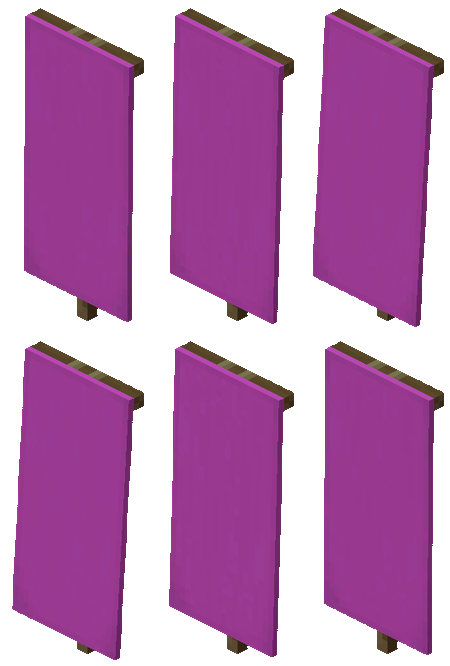
VOOZH about

URL: https://minecraft.wiki/w/Magenta_Fess_Banner

โ‡ฑ Banner โ€“ Minecraft Wiki


Banner

From Minecraft Wiki
(Redirected from Magenta Fess Banner)
Jump to navigation Jump to search
๐Ÿ‘ Image
This article is about craftable banners. For the banner used by illagers, see Ominous Banner. For the add-on block, see 15 Year Party Supplies. For the image released alongside version changelogs, see Version banner. For the tool in Minecraft Legends, see MCL:Banner of Courage.
Banner
๐Ÿ‘ Invicon White Banner.png: Inventory sprite for White Banner in Minecraft as shown in-game with description: White Banner
๐Ÿ‘ Invicon Light Gray Banner.png: Inventory sprite for Light Gray Banner in Minecraft as shown in-game with description: Light Gray Banner
๐Ÿ‘ Invicon Gray Banner.png: Inventory sprite for Gray Banner in Minecraft as shown in-game with description: Gray Banner
๐Ÿ‘ Invicon Black Banner.png: Inventory sprite for Black Banner in Minecraft as shown in-game with description: Black Banner
๐Ÿ‘ Invicon Brown Banner.png: Inventory sprite for Brown Banner in Minecraft as shown in-game with description: Brown Banner
๐Ÿ‘ Invicon Red Banner.png: Inventory sprite for Red Banner in Minecraft as shown in-game with description: Red Banner
๐Ÿ‘ Invicon Orange Banner.png: Inventory sprite for Orange Banner in Minecraft as shown in-game with description: Orange Banner
๐Ÿ‘ Invicon Yellow Banner.png: Inventory sprite for Yellow Banner in Minecraft as shown in-game with description: Yellow Banner
๐Ÿ‘ Invicon Lime Banner.png: Inventory sprite for Lime Banner in Minecraft as shown in-game with description: Lime Banner
๐Ÿ‘ Invicon Green Banner.png: Inventory sprite for Green Banner in Minecraft as shown in-game with description: Green Banner
๐Ÿ‘ Invicon Cyan Banner.png: Inventory sprite for Cyan Banner in Minecraft as shown in-game with description: Cyan Banner
๐Ÿ‘ Invicon Light Blue Banner.png: Inventory sprite for Light Blue Banner in Minecraft as shown in-game with description: Light Blue Banner
๐Ÿ‘ Invicon Blue Banner.png: Inventory sprite for Blue Banner in Minecraft as shown in-game with description: Blue Banner
๐Ÿ‘ Invicon Purple Banner.png: Inventory sprite for Purple Banner in Minecraft as shown in-game with description: Purple Banner
๐Ÿ‘ Invicon Magenta Banner.png: Inventory sprite for Magenta Banner in Minecraft as shown in-game with description: Magenta Banner
๐Ÿ‘ Invicon Pink Banner.png: Inventory sprite for Pink Banner in Minecraft as shown in-game with description: Pink Banner
Rarity tier
 
Common
Renewable Yes
Stackable Yes (16)
Tool ๐Ÿ‘ SlotSprite Axe Required.png: Sprite image for Axe Required in Minecraft
Blast resistance 1
Hardness 1
Luminous No
Transparent Yes
Waterloggable JE: No
BE: Yes
Flammable No
Catches fire
from lava
Yes
Map color
 13 WOOD
Note block instrument Bass
{
 "extratext": "[[#Renders|View all renders]]",
 "title": "Banner",
 "images": [
 "White Banner.gif",
 "Light Gray Banner.gif",
 "Gray Banner.gif",
 "Black Banner.gif",
 "Brown Banner.gif",
 "Red Banner.gif",
 "Orange Banner.gif",
 "Yellow Banner.gif",
 "Lime Banner.gif",
 "Green Banner.gif",
 "Cyan Banner.gif",
 "Light Blue Banner.gif",
 "Blue Banner.gif",
 "Purple Banner.gif",
 "Magenta Banner.gif",
 "Pink Banner.gif"
 ],
 "rows": [
 {
 "field": "<span style=\"white-space: nowrap;\"><span style=\"display: inline-block; background-color: #fff; border: 1px solid #888; border-radius: 0.3em; color: transparent; width: 1em; height: 1em; vertical-align: -0.36em; margin-right: -0.1em\"><br></span> </span> Common",
 "label": "(link to Rarity article, displayed as Rarity tier)"
 },
 {
 "field": "Yes",
 "label": "(link to Renewable resource article, displayed as Renewable)"
 },
 {
 "field": "Yes (16)",
 "label": "Stackable"
 },
 {
 "field": "<span class=\"sprite-file\" style=\"height:32px;width:32px;--vertical-align:middle\">(link to File:SlotSprite Axe Required.png article, displayed as 32x32px|link=|alt=SlotSprite Axe Required.png: Sprite image for Axe Required in Minecraft|class=pixel-image|This block can be broken with any tool, but an axe is the quickest)</span>",
 "label": "Tool"
 },
 {
 "field": "1",
 "label": "(link to Explosion#Blast resistance article, displayed as Blast resistance)"
 },
 {
 "field": "1",
 "label": "(link to Breaking#Blocks by hardness article, displayed as Hardness)"
 },
 {
 "field": "No",
 "label": "(link to Light article, displayed as Luminous)"
 },
 {
 "field": "Yes",
 "label": "(link to Opacity article, displayed as Transparent)"
 },
 {
 "field": "'''(link to Java Edition article, displayed as JE):''' No<br>'''(link to Bedrock Edition article, displayed as BE):''' Yes",
 "label": "(link to Waterlogging article, displayed as Waterloggable)"
 },
 {
 "field": "No",
 "label": "(link to Flammable article, displayed as Flammable)"
 },
 {
 "field": "Yes",
 "label": "Catches fire<br>from (link to lava article, displayed as lava)"
 },
 {
 "field": "<span style=\"white-space: nowrap;\"><span style=\"display: inline-block; background-color: rgb(143, 119, 72); border: 1px solid #888; border-radius: 0.3em; color: transparent; width: 1em; height: 1em; vertical-align: -0.36em; margin-right: -0.1em\"><br></span> 13 WOOD</span>",
 "label": "(link to Map color article, displayed as Map color)"
 },
 {
 "field": "Bass",
 "label": "(link to Note Block#Instruments article, displayed as Note block instrument)"
 }
 ],
 "invimages": [
 "White Banner",
 "Light Gray Banner",
 "Gray Banner",
 "Black Banner",
 "Brown Banner",
 "Red Banner",
 "Orange Banner",
 "Yellow Banner",
 "Lime Banner",
 "Green Banner",
 "Cyan Banner",
 "Light Blue Banner",
 "Blue Banner",
 "Purple Banner",
 "Magenta Banner",
 "Pink Banner"
 ]
}

A banner is a block that can be crafted in 16 different colors, customized in a loom using dyes and banner patterns, and applied to a shield. In Java Edition, banners can also be used to add markers to maps.

Obtaining

[edit | edit source]

Breaking

[edit | edit source]

Banners can be broken with or without a tool, but an axe is fastest.

  1. โ†‘ These durations ignore any other influential factors (e.g., Mining Fatigue) and are measured in seconds. For more information, see Breaking ยง Speed.

A banner also breaks and drops itself as an item if the block the banner is attached to is moved, removed, or destroyed.

Crafting

[edit | edit source]

Banners can be crafted from six wool and a stick in a pattern resembling a sign.

Name Ingredients Crafting recipe Description
Matching Wool +
Stick
๐Ÿ‘ Invicon White Wool.png: Inventory sprite for White Wool in Minecraft as shown in-game linking to White Wool with description: White Wool
๐Ÿ‘ Invicon Light Gray Wool.png: Inventory sprite for Light Gray Wool in Minecraft as shown in-game linking to Light Gray Wool with description: Light Gray Wool
๐Ÿ‘ Invicon Gray Wool.png: Inventory sprite for Gray Wool in Minecraft as shown in-game linking to Gray Wool with description: Gray Wool
๐Ÿ‘ Invicon Black Wool.png: Inventory sprite for Black Wool in Minecraft as shown in-game linking to Black Wool with description: Black Wool
๐Ÿ‘ Invicon Brown Wool.png: Inventory sprite for Brown Wool in Minecraft as shown in-game linking to Brown Wool with description: Brown Wool
๐Ÿ‘ Invicon Red Wool.png: Inventory sprite for Red Wool in Minecraft as shown in-game linking to Red Wool with description: Red Wool
๐Ÿ‘ Invicon Orange Wool.png: Inventory sprite for Orange Wool in Minecraft as shown in-game linking to Orange Wool with description: Orange Wool
๐Ÿ‘ Invicon Yellow Wool.png: Inventory sprite for Yellow Wool in Minecraft as shown in-game linking to Yellow Wool with description: Yellow Wool
๐Ÿ‘ Invicon Lime Wool.png: Inventory sprite for Lime Wool in Minecraft as shown in-game linking to Lime Wool with description: Lime Wool
๐Ÿ‘ Invicon Green Wool.png: Inventory sprite for Green Wool in Minecraft as shown in-game linking to Green Wool with description: Green Wool
๐Ÿ‘ Invicon Cyan Wool.png: Inventory sprite for Cyan Wool in Minecraft as shown in-game linking to Cyan Wool with description: Cyan Wool
๐Ÿ‘ Invicon Light Blue Wool.png: Inventory sprite for Light Blue Wool in Minecraft as shown in-game linking to Light Blue Wool with description: Light Blue Wool
๐Ÿ‘ Invicon Blue Wool.png: Inventory sprite for Blue Wool in Minecraft as shown in-game linking to Blue Wool with description: Blue Wool
๐Ÿ‘ Invicon Purple Wool.png: Inventory sprite for Purple Wool in Minecraft as shown in-game linking to Purple Wool with description: Purple Wool
๐Ÿ‘ Invicon Magenta Wool.png: Inventory sprite for Magenta Wool in Minecraft as shown in-game linking to Magenta Wool with description: Magenta Wool
๐Ÿ‘ Invicon Pink Wool.png: Inventory sprite for Pink Wool in Minecraft as shown in-game linking to Pink Wool with description: Pink Wool
๐Ÿ‘ Invicon White Wool.png: Inventory sprite for White Wool in Minecraft as shown in-game linking to White Wool with description: White Wool
๐Ÿ‘ Invicon Light Gray Wool.png: Inventory sprite for Light Gray Wool in Minecraft as shown in-game linking to Light Gray Wool with description: Light Gray Wool
๐Ÿ‘ Invicon Gray Wool.png: Inventory sprite for Gray Wool in Minecraft as shown in-game linking to Gray Wool with description: Gray Wool
๐Ÿ‘ Invicon Black Wool.png: Inventory sprite for Black Wool in Minecraft as shown in-game linking to Black Wool with description: Black Wool
๐Ÿ‘ Invicon Brown Wool.png: Inventory sprite for Brown Wool in Minecraft as shown in-game linking to Brown Wool with description: Brown Wool
๐Ÿ‘ Invicon Red Wool.png: Inventory sprite for Red Wool in Minecraft as shown in-game linking to Red Wool with description: Red Wool
๐Ÿ‘ Invicon Orange Wool.png: Inventory sprite for Orange Wool in Minecraft as shown in-game linking to Orange Wool with description: Orange Wool
๐Ÿ‘ Invicon Yellow Wool.png: Inventory sprite for Yellow Wool in Minecraft as shown in-game linking to Yellow Wool with description: Yellow Wool
๐Ÿ‘ Invicon Lime Wool.png: Inventory sprite for Lime Wool in Minecraft as shown in-game linking to Lime Wool with description: Lime Wool
๐Ÿ‘ Invicon Green Wool.png: Inventory sprite for Green Wool in Minecraft as shown in-game linking to Green Wool with description: Green Wool
๐Ÿ‘ Invicon Cyan Wool.png: Inventory sprite for Cyan Wool in Minecraft as shown in-game linking to Cyan Wool with description: Cyan Wool
๐Ÿ‘ Invicon Light Blue Wool.png: Inventory sprite for Light Blue Wool in Minecraft as shown in-game linking to Light Blue Wool with description: Light Blue Wool
๐Ÿ‘ Invicon Blue Wool.png: Inventory sprite for Blue Wool in Minecraft as shown in-game linking to Blue Wool with description: Blue Wool
๐Ÿ‘ Invicon Purple Wool.png: Inventory sprite for Purple Wool in Minecraft as shown in-game linking to Purple Wool with description: Purple Wool
๐Ÿ‘ Invicon Magenta Wool.png: Inventory sprite for Magenta Wool in Minecraft as shown in-game linking to Magenta Wool with description: Magenta Wool
๐Ÿ‘ Invicon Pink Wool.png: Inventory sprite for Pink Wool in Minecraft as shown in-game linking to Pink Wool with description: Pink Wool
๐Ÿ‘ Invicon White Wool.png: Inventory sprite for White Wool in Minecraft as shown in-game linking to White Wool with description: White Wool
๐Ÿ‘ Invicon Light Gray Wool.png: Inventory sprite for Light Gray Wool in Minecraft as shown in-game linking to Light Gray Wool with description: Light Gray Wool
๐Ÿ‘ Invicon Gray Wool.png: Inventory sprite for Gray Wool in Minecraft as shown in-game linking to Gray Wool with description: Gray Wool
๐Ÿ‘ Invicon Black Wool.png: Inventory sprite for Black Wool in Minecraft as shown in-game linking to Black Wool with description: Black Wool
๐Ÿ‘ Invicon Brown Wool.png: Inventory sprite for Brown Wool in Minecraft as shown in-game linking to Brown Wool with description: Brown Wool
๐Ÿ‘ Invicon Red Wool.png: Inventory sprite for Red Wool in Minecraft as shown in-game linking to Red Wool with description: Red Wool
๐Ÿ‘ Invicon Orange Wool.png: Inventory sprite for Orange Wool in Minecraft as shown in-game linking to Orange Wool with description: Orange Wool
๐Ÿ‘ Invicon Yellow Wool.png: Inventory sprite for Yellow Wool in Minecraft as shown in-game linking to Yellow Wool with description: Yellow Wool
๐Ÿ‘ Invicon Lime Wool.png: Inventory sprite for Lime Wool in Minecraft as shown in-game linking to Lime Wool with description: Lime Wool
๐Ÿ‘ Invicon Green Wool.png: Inventory sprite for Green Wool in Minecraft as shown in-game linking to Green Wool with description: Green Wool
๐Ÿ‘ Invicon Cyan Wool.png: Inventory sprite for Cyan Wool in Minecraft as shown in-game linking to Cyan Wool with description: Cyan Wool
๐Ÿ‘ Invicon Light Blue Wool.png: Inventory sprite for Light Blue Wool in Minecraft as shown in-game linking to Light Blue Wool with description: Light Blue Wool
๐Ÿ‘ Invicon Blue Wool.png: Inventory sprite for Blue Wool in Minecraft as shown in-game linking to Blue Wool with description: Blue Wool
๐Ÿ‘ Invicon Purple Wool.png: Inventory sprite for Purple Wool in Minecraft as shown in-game linking to Purple Wool with description: Purple Wool
๐Ÿ‘ Invicon Magenta Wool.png: Inventory sprite for Magenta Wool in Minecraft as shown in-game linking to Magenta Wool with description: Magenta Wool
๐Ÿ‘ Invicon Pink Wool.png: Inventory sprite for Pink Wool in Minecraft as shown in-game linking to Pink Wool with description: Pink Wool
๐Ÿ‘ Invicon White Wool.png: Inventory sprite for White Wool in Minecraft as shown in-game linking to White Wool with description: White Wool
๐Ÿ‘ Invicon Light Gray Wool.png: Inventory sprite for Light Gray Wool in Minecraft as shown in-game linking to Light Gray Wool with description: Light Gray Wool
๐Ÿ‘ Invicon Gray Wool.png: Inventory sprite for Gray Wool in Minecraft as shown in-game linking to Gray Wool with description: Gray Wool
๐Ÿ‘ Invicon Black Wool.png: Inventory sprite for Black Wool in Minecraft as shown in-game linking to Black Wool with description: Black Wool
๐Ÿ‘ Invicon Brown Wool.png: Inventory sprite for Brown Wool in Minecraft as shown in-game linking to Brown Wool with description: Brown Wool
๐Ÿ‘ Invicon Red Wool.png: Inventory sprite for Red Wool in Minecraft as shown in-game linking to Red Wool with description: Red Wool
๐Ÿ‘ Invicon Orange Wool.png: Inventory sprite for Orange Wool in Minecraft as shown in-game linking to Orange Wool with description: Orange Wool
๐Ÿ‘ Invicon Yellow Wool.png: Inventory sprite for Yellow Wool in Minecraft as shown in-game linking to Yellow Wool with description: Yellow Wool
๐Ÿ‘ Invicon Lime Wool.png: Inventory sprite for Lime Wool in Minecraft as shown in-game linking to Lime Wool with description: Lime Wool
๐Ÿ‘ Invicon Green Wool.png: Inventory sprite for Green Wool in Minecraft as shown in-game linking to Green Wool with description: Green Wool
๐Ÿ‘ Invicon Cyan Wool.png: Inventory sprite for Cyan Wool in Minecraft as shown in-game linking to Cyan Wool with description: Cyan Wool
๐Ÿ‘ Invicon Light Blue Wool.png: Inventory sprite for Light Blue Wool in Minecraft as shown in-game linking to Light Blue Wool with description: Light Blue Wool
๐Ÿ‘ Invicon Blue Wool.png: Inventory sprite for Blue Wool in Minecraft as shown in-game linking to Blue Wool with description: Blue Wool
๐Ÿ‘ Invicon Purple Wool.png: Inventory sprite for Purple Wool in Minecraft as shown in-game linking to Purple Wool with description: Purple Wool
๐Ÿ‘ Invicon Magenta Wool.png: Inventory sprite for Magenta Wool in Minecraft as shown in-game linking to Magenta Wool with description: Magenta Wool
๐Ÿ‘ Invicon Pink Wool.png: Inventory sprite for Pink Wool in Minecraft as shown in-game linking to Pink Wool with description: Pink Wool
๐Ÿ‘ Invicon White Wool.png: Inventory sprite for White Wool in Minecraft as shown in-game linking to White Wool with description: White Wool
๐Ÿ‘ Invicon Light Gray Wool.png: Inventory sprite for Light Gray Wool in Minecraft as shown in-game linking to Light Gray Wool with description: Light Gray Wool
๐Ÿ‘ Invicon Gray Wool.png: Inventory sprite for Gray Wool in Minecraft as shown in-game linking to Gray Wool with description: Gray Wool
๐Ÿ‘ Invicon Black Wool.png: Inventory sprite for Black Wool in Minecraft as shown in-game linking to Black Wool with description: Black Wool
๐Ÿ‘ Invicon Brown Wool.png: Inventory sprite for Brown Wool in Minecraft as shown in-game linking to Brown Wool with description: Brown Wool
๐Ÿ‘ Invicon Red Wool.png: Inventory sprite for Red Wool in Minecraft as shown in-game linking to Red Wool with description: Red Wool
๐Ÿ‘ Invicon Orange Wool.png: Inventory sprite for Orange Wool in Minecraft as shown in-game linking to Orange Wool with description: Orange Wool
๐Ÿ‘ Invicon Yellow Wool.png: Inventory sprite for Yellow Wool in Minecraft as shown in-game linking to Yellow Wool with description: Yellow Wool
๐Ÿ‘ Invicon Lime Wool.png: Inventory sprite for Lime Wool in Minecraft as shown in-game linking to Lime Wool with description: Lime Wool
๐Ÿ‘ Invicon Green Wool.png: Inventory sprite for Green Wool in Minecraft as shown in-game linking to Green Wool with description: Green Wool
๐Ÿ‘ Invicon Cyan Wool.png: Inventory sprite for Cyan Wool in Minecraft as shown in-game linking to Cyan Wool with description: Cyan Wool
๐Ÿ‘ Invicon Light Blue Wool.png: Inventory sprite for Light Blue Wool in Minecraft as shown in-game linking to Light Blue Wool with description: Light Blue Wool
๐Ÿ‘ Invicon Blue Wool.png: Inventory sprite for Blue Wool in Minecraft as shown in-game linking to Blue Wool with description: Blue Wool
๐Ÿ‘ Invicon Purple Wool.png: Inventory sprite for Purple Wool in Minecraft as shown in-game linking to Purple Wool with description: Purple Wool
๐Ÿ‘ Invicon Magenta Wool.png: Inventory sprite for Magenta Wool in Minecraft as shown in-game linking to Magenta Wool with description: Magenta Wool
๐Ÿ‘ Invicon Pink Wool.png: Inventory sprite for Pink Wool in Minecraft as shown in-game linking to Pink Wool with description: Pink Wool
๐Ÿ‘ Invicon White Wool.png: Inventory sprite for White Wool in Minecraft as shown in-game linking to White Wool with description: White Wool
๐Ÿ‘ Invicon Light Gray Wool.png: Inventory sprite for Light Gray Wool in Minecraft as shown in-game linking to Light Gray Wool with description: Light Gray Wool
๐Ÿ‘ Invicon Gray Wool.png: Inventory sprite for Gray Wool in Minecraft as shown in-game linking to Gray Wool with description: Gray Wool
๐Ÿ‘ Invicon Black Wool.png: Inventory sprite for Black Wool in Minecraft as shown in-game linking to Black Wool with description: Black Wool
๐Ÿ‘ Invicon Brown Wool.png: Inventory sprite for Brown Wool in Minecraft as shown in-game linking to Brown Wool with description: Brown Wool
๐Ÿ‘ Invicon Red Wool.png: Inventory sprite for Red Wool in Minecraft as shown in-game linking to Red Wool with description: Red Wool
๐Ÿ‘ Invicon Orange Wool.png: Inventory sprite for Orange Wool in Minecraft as shown in-game linking to Orange Wool with description: Orange Wool
๐Ÿ‘ Invicon Yellow Wool.png: Inventory sprite for Yellow Wool in Minecraft as shown in-game linking to Yellow Wool with description: Yellow Wool
๐Ÿ‘ Invicon Lime Wool.png: Inventory sprite for Lime Wool in Minecraft as shown in-game linking to Lime Wool with description: Lime Wool
๐Ÿ‘ Invicon Green Wool.png: Inventory sprite for Green Wool in Minecraft as shown in-game linking to Green Wool with description: Green Wool
๐Ÿ‘ Invicon Cyan Wool.png: Inventory sprite for Cyan Wool in Minecraft as shown in-game linking to Cyan Wool with description: Cyan Wool
๐Ÿ‘ Invicon Light Blue Wool.png: Inventory sprite for Light Blue Wool in Minecraft as shown in-game linking to Light Blue Wool with description: Light Blue Wool
๐Ÿ‘ Invicon Blue Wool.png: Inventory sprite for Blue Wool in Minecraft as shown in-game linking to Blue Wool with description: Blue Wool
๐Ÿ‘ Invicon Purple Wool.png: Inventory sprite for Purple Wool in Minecraft as shown in-game linking to Purple Wool with description: Purple Wool
๐Ÿ‘ Invicon Magenta Wool.png: Inventory sprite for Magenta Wool in Minecraft as shown in-game linking to Magenta Wool with description: Magenta Wool
๐Ÿ‘ Invicon Pink Wool.png: Inventory sprite for Pink Wool in Minecraft as shown in-game linking to Pink Wool with description: Pink Wool
๐Ÿ‘ Invicon Stick.png: Inventory sprite for Stick in Minecraft as shown in-game linking to Stick with description: Stick

๐Ÿ‘ Invicon White Banner.png: Inventory sprite for White Banner in Minecraft as shown in-game with description: White Banner
๐Ÿ‘ Invicon Light Gray Banner.png: Inventory sprite for Light Gray Banner in Minecraft as shown in-game with description: Light Gray Banner
๐Ÿ‘ Invicon Gray Banner.png: Inventory sprite for Gray Banner in Minecraft as shown in-game with description: Gray Banner
๐Ÿ‘ Invicon Black Banner.png: Inventory sprite for Black Banner in Minecraft as shown in-game with description: Black Banner
๐Ÿ‘ Invicon Brown Banner.png: Inventory sprite for Brown Banner in Minecraft as shown in-game with description: Brown Banner
๐Ÿ‘ Invicon Red Banner.png: Inventory sprite for Red Banner in Minecraft as shown in-game with description: Red Banner
๐Ÿ‘ Invicon Orange Banner.png: Inventory sprite for Orange Banner in Minecraft as shown in-game with description: Orange Banner
๐Ÿ‘ Invicon Yellow Banner.png: Inventory sprite for Yellow Banner in Minecraft as shown in-game with description: Yellow Banner
๐Ÿ‘ Invicon Lime Banner.png: Inventory sprite for Lime Banner in Minecraft as shown in-game with description: Lime Banner
๐Ÿ‘ Invicon Green Banner.png: Inventory sprite for Green Banner in Minecraft as shown in-game with description: Green Banner
๐Ÿ‘ Invicon Cyan Banner.png: Inventory sprite for Cyan Banner in Minecraft as shown in-game with description: Cyan Banner
๐Ÿ‘ Invicon Light Blue Banner.png: Inventory sprite for Light Blue Banner in Minecraft as shown in-game with description: Light Blue Banner
๐Ÿ‘ Invicon Blue Banner.png: Inventory sprite for Blue Banner in Minecraft as shown in-game with description: Blue Banner
๐Ÿ‘ Invicon Purple Banner.png: Inventory sprite for Purple Banner in Minecraft as shown in-game with description: Purple Banner
๐Ÿ‘ Invicon Magenta Banner.png: Inventory sprite for Magenta Banner in Minecraft as shown in-game with description: Magenta Banner
๐Ÿ‘ Invicon Pink Banner.png: Inventory sprite for Pink Banner in Minecraft as shown in-game with description: Pink Banner
Once the banner is crafted, its base color cannot be changed.
White Banner Any  +
Bleach
๐Ÿ‘ Invicon White Banner.png: Inventory sprite for White Banner in Minecraft as shown in-game linking to White Banner with description: White Banner
๐Ÿ‘ Invicon Light Gray Banner.png: Inventory sprite for Light Gray Banner in Minecraft as shown in-game linking to Light Gray Banner with description: Light Gray Banner
๐Ÿ‘ Invicon Gray Banner.png: Inventory sprite for Gray Banner in Minecraft as shown in-game linking to Gray Banner with description: Gray Banner
๐Ÿ‘ Invicon Black Banner.png: Inventory sprite for Black Banner in Minecraft as shown in-game linking to Black Banner with description: Black Banner
๐Ÿ‘ Invicon Brown Banner.png: Inventory sprite for Brown Banner in Minecraft as shown in-game linking to Brown Banner with description: Brown Banner
๐Ÿ‘ Invicon Red Banner.png: Inventory sprite for Red Banner in Minecraft as shown in-game linking to Red Banner with description: Red Banner
๐Ÿ‘ Invicon Orange Banner.png: Inventory sprite for Orange Banner in Minecraft as shown in-game linking to Orange Banner with description: Orange Banner
๐Ÿ‘ Invicon Yellow Banner.png: Inventory sprite for Yellow Banner in Minecraft as shown in-game linking to Yellow Banner with description: Yellow Banner
๐Ÿ‘ Invicon Lime Banner.png: Inventory sprite for Lime Banner in Minecraft as shown in-game linking to Lime Banner with description: Lime Banner
๐Ÿ‘ Invicon Green Banner.png: Inventory sprite for Green Banner in Minecraft as shown in-game linking to Green Banner with description: Green Banner
๐Ÿ‘ Invicon Cyan Banner.png: Inventory sprite for Cyan Banner in Minecraft as shown in-game linking to Cyan Banner with description: Cyan Banner
๐Ÿ‘ Invicon Light Blue Banner.png: Inventory sprite for Light Blue Banner in Minecraft as shown in-game linking to Light Blue Banner with description: Light Blue Banner
๐Ÿ‘ Invicon Blue Banner.png: Inventory sprite for Blue Banner in Minecraft as shown in-game linking to Blue Banner with description: Blue Banner
๐Ÿ‘ Invicon Purple Banner.png: Inventory sprite for Purple Banner in Minecraft as shown in-game linking to Purple Banner with description: Purple Banner
๐Ÿ‘ Invicon Magenta Banner.png: Inventory sprite for Magenta Banner in Minecraft as shown in-game linking to Magenta Banner with description: Magenta Banner
๐Ÿ‘ Invicon Pink Banner.png: Inventory sprite for Pink Banner in Minecraft as shown in-game linking to Pink Banner with description: Pink Banner
๐Ÿ‘ Invicon Bleach.png: Inventory sprite for Bleach in Minecraft as shown in-game linking to Bleach with description: Bleach

๐Ÿ‘ Invicon White Banner.png: Inventory sprite for White Banner in Minecraft as shown in-game linking to White Banner with description: White Banner

Bleach can be used to remove the color of a banner, resulting in a white banner. This includes removing patterns from a white banner.โ€Œ[Bedrock Edition and Minecraft Education only]

Trading

[edit | edit source]
VillagerProbabilityVillager wantsPlayer receivesTrades in
stock
Villager
experience
Price
multiplier
JEBE
๐Ÿ‘ Image
Shepherd
๐Ÿ‘ Image
Expert
94%100%3 ร— ๐Ÿ‘ Image
Emerald
๐Ÿ‘ Invicon White Banner.png: Sprite image for White Banner in Minecraft
๐Ÿ‘ Invicon Light Gray Banner.png: Sprite image for Light Gray Banner in Minecraft
๐Ÿ‘ Invicon Gray Banner.png: Sprite image for Gray Banner in Minecraft
๐Ÿ‘ Invicon Black Banner.png: Sprite image for Black Banner in Minecraft
๐Ÿ‘ Invicon Brown Banner.png: Sprite image for Brown Banner in Minecraft
๐Ÿ‘ Invicon Red Banner.png: Sprite image for Red Banner in Minecraft
๐Ÿ‘ Invicon Orange Banner.png: Sprite image for Orange Banner in Minecraft
๐Ÿ‘ Invicon Yellow Banner.png: Sprite image for Yellow Banner in Minecraft

๐Ÿ‘ Invicon Lime Banner.png: Sprite image for Lime Banner in Minecraft
๐Ÿ‘ Invicon Green Banner.png: Sprite image for Green Banner in Minecraft
๐Ÿ‘ Invicon Cyan Banner.png: Sprite image for Cyan Banner in Minecraft
๐Ÿ‘ Invicon Light Blue Banner.png: Sprite image for Light Blue Banner in Minecraft
๐Ÿ‘ Invicon Blue Banner.png: Sprite image for Blue Banner in Minecraft
๐Ÿ‘ Invicon Purple Banner.png: Sprite image for Purple Banner in Minecraft
๐Ÿ‘ Invicon Magenta Banner.png: Sprite image for Magenta Banner in Minecraft
๐Ÿ‘ Invicon Pink Banner.png: Sprite image for Pink Banner in Minecraft

[t 1]
12150.05
๐Ÿ‘ Image
Cartographer
๐Ÿ‘ Image
Expert
100%100%3 ร— ๐Ÿ‘ Image
Emerald
๐Ÿ‘ Image
[t 2]
12150.05
  1. โ†‘ The list of possible offers contains individual offers for each color, so multiple colors may be offered by the same villager as separate trades.
  2. โ†‘ The color of the banner depends on the biome the villager is from. The list of possible offers contains individual offers for each color, so multiple colors may be offered by the same villager as separate trades.
Banners sold by cartographers
๐Ÿ‘ EntitySprite villager-desert-cartographer.png: Sprite image for villager-desert-cartographer in Minecraft
Desert
๐Ÿ‘ EntitySprite villager-jungle-cartographer.png: Sprite image for villager-jungle-cartographer in Minecraft
Jungle
๐Ÿ‘ EntitySprite villager-plains-cartographer.png: Sprite image for villager-plains-cartographer in Minecraft
Plains
๐Ÿ‘ EntitySprite villager-savanna-cartographer.png: Sprite image for villager-savanna-cartographer in Minecraft
Savanna
๐Ÿ‘ EntitySprite villager-snowy-cartographer.png: Sprite image for villager-snowy-cartographer in Minecraft
Snowy
๐Ÿ‘ EntitySprite villager-swamp-cartographer.png: Sprite image for villager-swamp-cartographer in Minecraft
Swamp
๐Ÿ‘ EntitySprite villager-taiga-cartographer.png: Sprite image for villager-taiga-cartographer in Minecraft
Taiga
๐Ÿ‘ BlockSprite cyan-banner.png: Sprite image for cyan-banner in Minecraft
Cyan
๐Ÿ‘ BlockSprite brown-banner.png: Sprite image for brown-banner in Minecraft
Brown
๐Ÿ‘ BlockSprite brown-banner.png: Sprite image for brown-banner in Minecraft
Brown
๐Ÿ‘ BlockSprite green-banner.png: Sprite image for green-banner in Minecraft
Green
๐Ÿ‘ BlockSprite blue-banner.png: Sprite image for blue-banner in Minecraft
Blue
๐Ÿ‘ BlockSprite black-banner.png: Sprite image for black-banner in Minecraft
Black
๐Ÿ‘ BlockSprite blue-banner.png: Sprite image for blue-banner in Minecraft
Blue
๐Ÿ‘ BlockSprite gray-banner.png: Sprite image for gray-banner in Minecraft
Gray
๐Ÿ‘ BlockSprite green-banner.png: Sprite image for green-banner in Minecraft
Green
๐Ÿ‘ BlockSprite pink-banner.png: Sprite image for pink-banner in Minecraft
Pink
๐Ÿ‘ BlockSprite magenta-banner.png: Sprite image for magenta-banner in Minecraft
Magenta
๐Ÿ‘ BlockSprite cyan-banner.png: Sprite image for cyan-banner in Minecraft
Cyan
๐Ÿ‘ BlockSprite light-blue-banner.png: Sprite image for light-blue-banner in Minecraft
Light Blue
๐Ÿ‘ BlockSprite lime-banner.png: Sprite image for lime-banner in Minecraft
Lime
๐Ÿ‘ BlockSprite green-banner.png: Sprite image for green-banner in Minecraft
Green
๐Ÿ‘ BlockSprite yellow-banner.png: Sprite image for yellow-banner in Minecraft
Yellow
๐Ÿ‘ BlockSprite white-banner.png: Sprite image for white-banner in Minecraft
White
๐Ÿ‘ BlockSprite orange-banner.png: Sprite image for orange-banner in Minecraft
Orange
๐Ÿ‘ BlockSprite light-blue-banner.png: Sprite image for light-blue-banner in Minecraft
Light Blue
๐Ÿ‘ BlockSprite purple-banner.png: Sprite image for purple-banner in Minecraft
Purple
๐Ÿ‘ BlockSprite pink-banner.png: Sprite image for pink-banner in Minecraft
Pink
๐Ÿ‘ BlockSprite lime-banner.png: Sprite image for lime-banner in Minecraft
Lime
โ€“ ๐Ÿ‘ BlockSprite yellow-banner.png: Sprite image for yellow-banner in Minecraft
Yellow
๐Ÿ‘ BlockSprite red-banner.png: Sprite image for red-banner in Minecraft
Red
๐Ÿ‘ BlockSprite red-banner.png: Sprite image for red-banner in Minecraft
Red
โ€“ ๐Ÿ‘ BlockSprite purple-banner.png: Sprite image for purple-banner in Minecraft
Purple
๐Ÿ‘ BlockSprite orange-banner.png: Sprite image for orange-banner in Minecraft
Orange
โ€“ โ€“ โ€“ ๐Ÿ‘ BlockSprite white-banner.png: Sprite image for white-banner in Minecraft
White
โ€“ โ€“

Natural generation

[edit | edit source]
Name Location Appearance Design
Magenta Banner Outside of end cities. ๐Ÿ‘ Image
Magenta Banner
  • Black Inverted Chevron
  • Black Chevron
Gray Banner In banner room in woodland mansions. ๐Ÿ‘ Image
Gray Banner
Light Gray Banner In master bedroom in woodland mansions. ๐Ÿ‘ Image
Light Gray Banner
  • White Flower Charge
Brown Banner Outside of some houses, meeting points, and pillar fountains in savanna villages. ๐Ÿ‘ Image
Brown Banner
Black Banner In altar room in woodland mansions. ๐Ÿ‘ Image
Black Banner
Ominous Banner Carried by illagers and located in pillager outposts. ๐Ÿ‘ Image
Illager face

Mob loot

[edit | edit source]

Illagers that spawn carrying an ominous banner always drop it upon death, unaffected by looting.

Usage

[edit | edit source]
๐Ÿ‘ Image
Overlapping block on a banner.
๐Ÿ‘ Image
Overlapping on a wall mounted banner.

There are 16 colored blank banners, and numerous patterns each available in 16 colors. A banner can be customized with up to 6 layers of patterns. The top layer of a banner (or the last pattern added) can be washed off by using it on a cauldron containing water.

Banners, much like signs, can be placed either on the ground facing in 16 directions, or on a wall. They gently sway as if affected by a breeze, regardless of dimension or location.

Other blocks (including other banners) can be placed on any edge of a banner's hitbox, which is only one block high despite the banner appearing as two blocks tall. When a banner is placed on the side of a block, its position is set by the top block. This makes it possible to overlap another solid block on the top half of a floor banner, or the bottom half of a wall banner.

Banners have no collision mask as they are completely non-solid, so entities can move through them.

Banners cannot be moved by pistons.

Water and lava flow around banners. In Bedrock Edition, banners can be waterlogged. Lava can create fire in air blocks next to banners as if the banners were flammable, but the banners do not burn (and cannot be burned by other methods).

Patterns

[edit | edit source]

A banner may have up to six layers of patterns, which are overlaid with the last-added on top. Patterns can be colored with any of the 16 dye colors.

A loom is used to add patterns. All patterns require a dye, but some of them also need a banner pattern item, which is not consumed in the process.

Loom recipes

In Bedrock Edition, most patterns can also be added through crafting, although this generally requires more dye and may also consume valuable items such as enchanted golden apples. Designs that require uncraftable banner pattern items (e.g. globe or gust) are not available through crafting.

Crafting recipes

Custom banner and shield designs can be previewed using this tool:

An interactive widget is being loaded. If this does not work for you, please reload the page or check if JavaScript is working or enabled.
๐Ÿ‘ Image
Example of a banner with more than 6 patterns, a result of using the /give command.

In Java Edition, a banner can have more than six layers of patterns if obtained through commands (such as /give or /setblock) or external editors. A banner can visually display up to 16 layers. The item tooltip of a banner with more than 6 patterns lists only the first 6 bottom-most layers. Here is an example of a command that gives the player a banner with eight different patterns:

/give @s white_banner[banner_patterns=[{pattern:half_horizontal,color:red},{pattern:stripe_top,color:blue},{pattern:stripe_middle,color:pink},{pattern:stripe_bottom,color:cyan},{pattern:stripe_downright,color:yellow},{pattern:stripe_downleft,color:lime},{pattern:rhombus,color:orange},{pattern:skull,color:black}]]

In Bedrock Edition, banners with more than 6 layers are unobtainable via commands. Banners can display only up to 6 layers, even if more layers are added using external editors. Tooltips of such banners list all the layers.

Crafting ingredient

[edit | edit source]

Shields can have patterns applied to them using banners. The shield pattern has a smaller resolution than the banner pattern, causing them to look different or offset.

Ingredients Crafting recipe Description
Shield +
Matching
๐Ÿ‘ Invicon Shield.png: Inventory sprite for Shield in Minecraft as shown in-game linking to Shield with description: Shield
๐Ÿ‘ Invicon White Banner.png: Inventory sprite for White Banner in Minecraft as shown in-game with description: White Banner
๐Ÿ‘ Invicon Light Gray Banner.png: Inventory sprite for Light Gray Banner in Minecraft as shown in-game with description: Light Gray Banner
๐Ÿ‘ Invicon Gray Banner.png: Inventory sprite for Gray Banner in Minecraft as shown in-game with description: Gray Banner
๐Ÿ‘ Invicon Black Banner.png: Inventory sprite for Black Banner in Minecraft as shown in-game with description: Black Banner
๐Ÿ‘ Invicon Brown Banner.png: Inventory sprite for Brown Banner in Minecraft as shown in-game with description: Brown Banner
๐Ÿ‘ Invicon Red Banner.png: Inventory sprite for Red Banner in Minecraft as shown in-game with description: Red Banner
๐Ÿ‘ Invicon Orange Banner.png: Inventory sprite for Orange Banner in Minecraft as shown in-game with description: Orange Banner
๐Ÿ‘ Invicon Yellow Banner.png: Inventory sprite for Yellow Banner in Minecraft as shown in-game with description: Yellow Banner
๐Ÿ‘ Invicon Lime Banner.png: Inventory sprite for Lime Banner in Minecraft as shown in-game with description: Lime Banner
๐Ÿ‘ Invicon Green Banner.png: Inventory sprite for Green Banner in Minecraft as shown in-game with description: Green Banner
๐Ÿ‘ Invicon Cyan Banner.png: Inventory sprite for Cyan Banner in Minecraft as shown in-game with description: Cyan Banner
๐Ÿ‘ Invicon Light Blue Banner.png: Inventory sprite for Light Blue Banner in Minecraft as shown in-game with description: Light Blue Banner
๐Ÿ‘ Invicon Blue Banner.png: Inventory sprite for Blue Banner in Minecraft as shown in-game with description: Blue Banner
๐Ÿ‘ Invicon Purple Banner.png: Inventory sprite for Purple Banner in Minecraft as shown in-game with description: Purple Banner
๐Ÿ‘ Invicon Magenta Banner.png: Inventory sprite for Magenta Banner in Minecraft as shown in-game with description: Magenta Banner
๐Ÿ‘ Invicon Pink Banner.png: Inventory sprite for Pink Banner in Minecraft as shown in-game with description: Pink Banner

๐Ÿ‘ Invicon White Shield.png: Inventory sprite for White Shield in Minecraft as shown in-game linking to Shield with description: White Shield
๐Ÿ‘ Invicon Light Gray Shield.png: Inventory sprite for Light Gray Shield in Minecraft as shown in-game linking to Shield with description: Light Gray Shield
๐Ÿ‘ Invicon Gray Shield.png: Inventory sprite for Gray Shield in Minecraft as shown in-game linking to Shield with description: Gray Shield
๐Ÿ‘ Invicon Black Shield.png: Inventory sprite for Black Shield in Minecraft as shown in-game linking to Shield with description: Black Shield
๐Ÿ‘ Invicon Brown Shield.png: Inventory sprite for Brown Shield in Minecraft as shown in-game linking to Shield with description: Brown Shield
๐Ÿ‘ Invicon Red Shield.png: Inventory sprite for Red Shield in Minecraft as shown in-game linking to Shield with description: Red Shield
๐Ÿ‘ Invicon Orange Shield.png: Inventory sprite for Orange Shield in Minecraft as shown in-game linking to Shield with description: Orange Shield
๐Ÿ‘ Invicon Yellow Shield.png: Inventory sprite for Yellow Shield in Minecraft as shown in-game linking to Shield with description: Yellow Shield
๐Ÿ‘ Invicon Lime Shield.png: Inventory sprite for Lime Shield in Minecraft as shown in-game linking to Shield with description: Lime Shield
๐Ÿ‘ Invicon Green Shield.png: Inventory sprite for Green Shield in Minecraft as shown in-game linking to Shield with description: Green Shield
๐Ÿ‘ Invicon Cyan Shield.png: Inventory sprite for Cyan Shield in Minecraft as shown in-game linking to Shield with description: Cyan Shield
๐Ÿ‘ Invicon Light Blue Shield.png: Inventory sprite for Light Blue Shield in Minecraft as shown in-game linking to Shield with description: Light Blue Shield
๐Ÿ‘ Invicon Blue Shield.png: Inventory sprite for Blue Shield in Minecraft as shown in-game linking to Shield with description: Blue Shield
๐Ÿ‘ Invicon Purple Shield.png: Inventory sprite for Purple Shield in Minecraft as shown in-game linking to Shield with description: Purple Shield
๐Ÿ‘ Invicon Magenta Shield.png: Inventory sprite for Magenta Shield in Minecraft as shown in-game linking to Shield with description: Magenta Shield
๐Ÿ‘ Invicon Pink Shield.png: Inventory sprite for Pink Shield in Minecraft as shown in-game linking to Shield with description: Pink Shield

Applies the banner pattern to the shield. The banner is consumed.
The shield must have no preexisting patterns.
Does not change existing durability or enchantments on the shield.

Copying

[edit | edit source]

Banners can be copied with a blank banner to make multiple identical banners. Banners with more than 6 patterns applied using commands cannot be copied in this manner.

In Bedrock Edition, the banner with the pattern must be to the left of or above the blank banner in the crafting table.

Ingredients Crafting recipe Description
Matching
๐Ÿ‘ Invicon White Banner.png: Inventory sprite for White Banner in Minecraft as shown in-game with description: White Banner
๐Ÿ‘ Invicon Light Gray Banner.png: Inventory sprite for Light Gray Banner in Minecraft as shown in-game with description: Light Gray Banner
๐Ÿ‘ Invicon Gray Banner.png: Inventory sprite for Gray Banner in Minecraft as shown in-game with description: Gray Banner
๐Ÿ‘ Invicon Black Banner.png: Inventory sprite for Black Banner in Minecraft as shown in-game with description: Black Banner
๐Ÿ‘ Invicon Brown Banner.png: Inventory sprite for Brown Banner in Minecraft as shown in-game with description: Brown Banner
๐Ÿ‘ Invicon Red Banner.png: Inventory sprite for Red Banner in Minecraft as shown in-game with description: Red Banner
๐Ÿ‘ Invicon Orange Banner.png: Inventory sprite for Orange Banner in Minecraft as shown in-game with description: Orange Banner
๐Ÿ‘ Invicon Yellow Banner.png: Inventory sprite for Yellow Banner in Minecraft as shown in-game with description: Yellow Banner
๐Ÿ‘ Invicon Lime Banner.png: Inventory sprite for Lime Banner in Minecraft as shown in-game with description: Lime Banner
๐Ÿ‘ Invicon Green Banner.png: Inventory sprite for Green Banner in Minecraft as shown in-game with description: Green Banner
๐Ÿ‘ Invicon Cyan Banner.png: Inventory sprite for Cyan Banner in Minecraft as shown in-game with description: Cyan Banner
๐Ÿ‘ Invicon Light Blue Banner.png: Inventory sprite for Light Blue Banner in Minecraft as shown in-game with description: Light Blue Banner
๐Ÿ‘ Invicon Blue Banner.png: Inventory sprite for Blue Banner in Minecraft as shown in-game with description: Blue Banner
๐Ÿ‘ Invicon Purple Banner.png: Inventory sprite for Purple Banner in Minecraft as shown in-game with description: Purple Banner
๐Ÿ‘ Invicon Magenta Banner.png: Inventory sprite for Magenta Banner in Minecraft as shown in-game with description: Magenta Banner
๐Ÿ‘ Invicon Pink Banner.png: Inventory sprite for Pink Banner in Minecraft as shown in-game with description: Pink Banner
๐Ÿ‘ Invicon White Banner.png: Inventory sprite for White Banner in Minecraft as shown in-game with description: White Banner
๐Ÿ‘ Invicon Light Gray Banner.png: Inventory sprite for Light Gray Banner in Minecraft as shown in-game with description: Light Gray Banner
๐Ÿ‘ Invicon Gray Banner.png: Inventory sprite for Gray Banner in Minecraft as shown in-game with description: Gray Banner
๐Ÿ‘ Invicon Black Banner.png: Inventory sprite for Black Banner in Minecraft as shown in-game with description: Black Banner
๐Ÿ‘ Invicon Brown Banner.png: Inventory sprite for Brown Banner in Minecraft as shown in-game with description: Brown Banner
๐Ÿ‘ Invicon Red Banner.png: Inventory sprite for Red Banner in Minecraft as shown in-game with description: Red Banner
๐Ÿ‘ Invicon Orange Banner.png: Inventory sprite for Orange Banner in Minecraft as shown in-game with description: Orange Banner
๐Ÿ‘ Invicon Yellow Banner.png: Inventory sprite for Yellow Banner in Minecraft as shown in-game with description: Yellow Banner
๐Ÿ‘ Invicon Lime Banner.png: Inventory sprite for Lime Banner in Minecraft as shown in-game with description: Lime Banner
๐Ÿ‘ Invicon Green Banner.png: Inventory sprite for Green Banner in Minecraft as shown in-game with description: Green Banner
๐Ÿ‘ Invicon Cyan Banner.png: Inventory sprite for Cyan Banner in Minecraft as shown in-game with description: Cyan Banner
๐Ÿ‘ Invicon Light Blue Banner.png: Inventory sprite for Light Blue Banner in Minecraft as shown in-game with description: Light Blue Banner
๐Ÿ‘ Invicon Blue Banner.png: Inventory sprite for Blue Banner in Minecraft as shown in-game with description: Blue Banner
๐Ÿ‘ Invicon Purple Banner.png: Inventory sprite for Purple Banner in Minecraft as shown in-game with description: Purple Banner
๐Ÿ‘ Invicon Magenta Banner.png: Inventory sprite for Magenta Banner in Minecraft as shown in-game with description: Magenta Banner
๐Ÿ‘ Invicon Pink Banner.png: Inventory sprite for Pink Banner in Minecraft as shown in-game with description: Pink Banner

๐Ÿ‘ Invicon White Banner.png: Inventory sprite for White Banner in Minecraft as shown in-game with description: White Banner
2
๐Ÿ‘ Invicon Light Gray Banner.png: Inventory sprite for Light Gray Banner in Minecraft as shown in-game with description: Light Gray Banner
2
๐Ÿ‘ Invicon Gray Banner.png: Inventory sprite for Gray Banner in Minecraft as shown in-game with description: Gray Banner
2
๐Ÿ‘ Invicon Black Banner.png: Inventory sprite for Black Banner in Minecraft as shown in-game with description: Black Banner
2
๐Ÿ‘ Invicon Brown Banner.png: Inventory sprite for Brown Banner in Minecraft as shown in-game with description: Brown Banner
2
๐Ÿ‘ Invicon Red Banner.png: Inventory sprite for Red Banner in Minecraft as shown in-game with description: Red Banner
2
๐Ÿ‘ Invicon Orange Banner.png: Inventory sprite for Orange Banner in Minecraft as shown in-game with description: Orange Banner
2
๐Ÿ‘ Invicon Yellow Banner.png: Inventory sprite for Yellow Banner in Minecraft as shown in-game with description: Yellow Banner
2
๐Ÿ‘ Invicon Lime Banner.png: Inventory sprite for Lime Banner in Minecraft as shown in-game with description: Lime Banner
2
๐Ÿ‘ Invicon Green Banner.png: Inventory sprite for Green Banner in Minecraft as shown in-game with description: Green Banner
2
๐Ÿ‘ Invicon Cyan Banner.png: Inventory sprite for Cyan Banner in Minecraft as shown in-game with description: Cyan Banner
2
๐Ÿ‘ Invicon Light Blue Banner.png: Inventory sprite for Light Blue Banner in Minecraft as shown in-game with description: Light Blue Banner
2
๐Ÿ‘ Invicon Blue Banner.png: Inventory sprite for Blue Banner in Minecraft as shown in-game with description: Blue Banner
2
๐Ÿ‘ Invicon Purple Banner.png: Inventory sprite for Purple Banner in Minecraft as shown in-game with description: Purple Banner
2
๐Ÿ‘ Invicon Magenta Banner.png: Inventory sprite for Magenta Banner in Minecraft as shown in-game with description: Magenta Banner
2
๐Ÿ‘ Invicon Pink Banner.png: Inventory sprite for Pink Banner in Minecraft as shown in-game with description: Pink Banner
2

Copies pattern; both banners must have the same base color, and the one having a pattern copied onto it must have no preexisting pattern.

Renaming

[edit | edit source]

Like other items, banners can be renamed on an anvil. A banner retains its custom name when it is placed and retrieved, when a layer is added or removed, and when the banner is cloned; additionally, applying a renamed banner to a shield in Bedrock Edition gives the shield the custom banner name.

In Java Edition, a banner can also be given a custom name by using the /data command on a banner block to change its CustomName NBT tag.

Map marker

[edit | edit source]
๐Ÿ‘ All banners marked on a map, alongside a named banner.
How every banner appears in Java Edition on a map, including a named banner.
This feature is exclusive to Java Edition.
 

In Java Edition, pressing the use control on a banner while holding a map places a marker of the banner's position on the selected map, and pressing use on the banner again removes the marker. The marker has the same color as the banner's base without decorations. The marker is removed if the banner is destroyed unless the map is locked using a cartography table. If the banner is renamed, the name appears below the marker.

Helmet

[edit | edit source]
This feature is exclusive to Java Edition.
 

While a banner cannot be equipped in the head slot in Survival mode, equipping it using commands causes it to appear on top of the player. This is how raid captains wear banners.

Chestplate

[edit | edit source]
This feature is exclusive to Bedrock Edition.
 

While a banner cannot be equipped in the chestplate slot in Survival mode, equipping it using NBT editors causes it to appear on top of the player. This is how raid captains wear banners.

Banners can be used as a fuel in furnaces, smelting 1.5 items per banner.

Sounds

[edit | edit source]

Generic

[edit | edit source]

Java Edition:

๐Ÿ‘ BlockSprite oak-planks.png: Sprite image for oak-planks in Minecraft
wood sound type
SoundClosed captionsSourceDescriptionIdentifierTranslation keyVolumePitchAttenuation
distance
โ€‹Block brokenBlocksOnce the block has brokenblock.wood.breaksubtitles.block.generic.breakโ€‹1.00.816
โ€‹Block placedBlocksWhen the block is placedblock.wood.placesubtitles.block.generic.placeโ€‹1.00.816
โ€‹Block breakingBlocksWhile the block is in the process of being brokenblock.wood.hitsubtitles.block.generic.hitโ€‹0.250.516
โ€‹Something falls on a blockEntity-DependentFalling on the block with fall damageblock.wood.fallsubtitles.block.generic.fallโ€‹0.50.7516
โ€‹FootstepsEntity-DependentWalking on the blockblock.wood.stepsubtitles.block.generic.footstepsโ€‹0.151.016

Bedrock Edition:

๐Ÿ‘ BlockSprite oak-planks.png: Sprite image for oak-planks in Minecraft
wood sound type
SoundClosed captionsSourceDescriptionIdentifierTranslation keyVolumePitch
โ€‹Block brokenBlocksOnce the block has brokendig.woodsubtitles.block.generic.breakโ€‹1.00.8โ€“1.0
โ€‹Block placedBlocksWhen the block is placedplace.woodsubtitles.block.generic.placeโ€‹1.00.8
โ€‹Axe stripsBlocksWhen an axe strips a log or wood block [sound 1]use.woodsubtitles.block.generic.hitโ€‹1.00.8
โ€‹Block breakingBlocksWhile the block is in the process of being brokenhit.woodsubtitles.block.generic.hitโ€‹0.230.5
โ€‹FootstepsPlayersFalling on the block with fall damagefall.woodsubtitles.block.generic.footstepsโ€‹0.41.0
โ€‹FootstepsPlayersWalking on the blockstep.woodsubtitles.block.generic.footstepsโ€‹0.31.0
โ€‹FootstepsBlocksJumping from the blockjump.woodsubtitles.block.generic.footstepsโ€‹0.121.0
โ€‹FootstepsBlocksFalling on the block without fall damageland.woodsubtitles.block.generic.footstepsโ€‹0.181.0

Unique

[edit | edit source]

Java Edition: None

Bedrock Edition:

Sounds
SoundClosed captionsSourceDescriptionIdentifierTranslation keyVolumePitch
โ€‹ ?BlocksWhen all patterns are removed from a banner using a cauldroncauldron.cleanbannerโ€‹ ?0.11.0

Data values

[edit | edit source]

Java Edition:

NameIdentifierFormBlock tagsItem tags Translation key
๐Ÿ‘ BlockSprite white-banner.png: Sprite image for white-banner in Minecraft
White Banner
white_bannerBlock & Itembanners
wall_post_override
banners block.minecraft.white_banner
๐Ÿ‘ BlockSprite orange-banner.png: Sprite image for orange-banner in Minecraft
Orange Banner
orange_bannerBlock & Itembanners
wall_post_override
banners block.minecraft.orange_banner
๐Ÿ‘ BlockSprite magenta-banner.png: Sprite image for magenta-banner in Minecraft
Magenta Banner
magenta_bannerBlock & Itembanners
wall_post_override
banners block.minecraft.magenta_banner
๐Ÿ‘ BlockSprite light-blue-banner.png: Sprite image for light-blue-banner in Minecraft
Light Blue Banner
light_blue_bannerBlock & Itembanners
wall_post_override
banners block.minecraft.light_blue_banner
๐Ÿ‘ BlockSprite yellow-banner.png: Sprite image for yellow-banner in Minecraft
Yellow Banner
yellow_bannerBlock & Itembanners
wall_post_override
banners block.minecraft.yellow_banner
๐Ÿ‘ BlockSprite lime-banner.png: Sprite image for lime-banner in Minecraft
Lime Banner
lime_bannerBlock & Itembanners
wall_post_override
banners block.minecraft.lime_banner
๐Ÿ‘ BlockSprite pink-banner.png: Sprite image for pink-banner in Minecraft
Pink Banner
pink_bannerBlock & Itembanners
wall_post_override
banners block.minecraft.pink_banner
๐Ÿ‘ BlockSprite gray-banner.png: Sprite image for gray-banner in Minecraft
Gray Banner
gray_bannerBlock & Itembanners
wall_post_override
banners block.minecraft.gray_banner
๐Ÿ‘ BlockSprite light-gray-banner.png: Sprite image for light-gray-banner in Minecraft
Light Gray Banner
light_gray_bannerBlock & Itembanners
wall_post_override
banners block.minecraft.light_gray_banner
๐Ÿ‘ BlockSprite cyan-banner.png: Sprite image for cyan-banner in Minecraft
Cyan Banner
cyan_bannerBlock & Itembanners
wall_post_override
banners block.minecraft.cyan_banner
๐Ÿ‘ BlockSprite purple-banner.png: Sprite image for purple-banner in Minecraft
Purple Banner
purple_bannerBlock & Itembanners
wall_post_override
banners block.minecraft.purple_banner
๐Ÿ‘ BlockSprite blue-banner.png: Sprite image for blue-banner in Minecraft
Blue Banner
blue_bannerBlock & Itembanners
wall_post_override
banners block.minecraft.blue_banner
๐Ÿ‘ BlockSprite brown-banner.png: Sprite image for brown-banner in Minecraft
Brown Banner
brown_bannerBlock & Itembanners
wall_post_override
banners block.minecraft.brown_banner
๐Ÿ‘ BlockSprite green-banner.png: Sprite image for green-banner in Minecraft
Green Banner
green_bannerBlock & Itembanners
wall_post_override
banners block.minecraft.green_banner
๐Ÿ‘ BlockSprite red-banner.png: Sprite image for red-banner in Minecraft
Red Banner
red_bannerBlock & Itembanners
wall_post_override
banners block.minecraft.red_banner
๐Ÿ‘ BlockSprite black-banner.png: Sprite image for black-banner in Minecraft
Black Banner
black_bannerBlock & Itembanners
wall_post_override
banners block.minecraft.black_banner
๐Ÿ‘ BlockSprite white-wall-banner.png: Sprite image for white-wall-banner in Minecraft
White Wall Banner
white_wall_bannerBlockbanners
wall_post_override
โ€” block.minecraft.white_banner
๐Ÿ‘ BlockSprite orange-wall-banner.png: Sprite image for orange-wall-banner in Minecraft
Orange Wall Banner
orange_wall_bannerBlockbanners
wall_post_override
โ€” block.minecraft.orange_banner
๐Ÿ‘ BlockSprite magenta-wall-banner.png: Sprite image for magenta-wall-banner in Minecraft
Magenta Wall Banner
magenta_wall_bannerBlockbanners
wall_post_override
โ€” block.minecraft.magenta_banner
๐Ÿ‘ BlockSprite light-blue-wall-banner.png: Sprite image for light-blue-wall-banner in Minecraft
Light Blue Wall Banner
light_blue_wall_bannerBlockbanners
wall_post_override
โ€” block.minecraft.light_blue_banner
๐Ÿ‘ BlockSprite yellow-wall-banner.png: Sprite image for yellow-wall-banner in Minecraft
Yellow Wall Banner
yellow_wall_bannerBlockbanners
wall_post_override
โ€” block.minecraft.yellow_banner
๐Ÿ‘ BlockSprite lime-wall-banner.png: Sprite image for lime-wall-banner in Minecraft
Lime Wall Banner
lime_wall_bannerBlockbanners
wall_post_override
โ€” block.minecraft.lime_banner
๐Ÿ‘ BlockSprite pink-wall-banner.png: Sprite image for pink-wall-banner in Minecraft
Pink Wall Banner
pink_wall_bannerBlockbanners
wall_post_override
โ€” block.minecraft.pink_banner
๐Ÿ‘ BlockSprite gray-wall-banner.png: Sprite image for gray-wall-banner in Minecraft
Gray Wall Banner
gray_wall_bannerBlockbanners
wall_post_override
โ€” block.minecraft.gray_banner
๐Ÿ‘ BlockSprite light-gray-wall-banner.png: Sprite image for light-gray-wall-banner in Minecraft
Light Gray Wall Banner
light_gray_wall_bannerBlockbanners
wall_post_override
โ€” block.minecraft.light_gray_banner
๐Ÿ‘ BlockSprite cyan-wall-banner.png: Sprite image for cyan-wall-banner in Minecraft
Cyan Wall Banner
cyan_wall_bannerBlockbanners
wall_post_override
โ€” block.minecraft.cyan_banner
๐Ÿ‘ BlockSprite purple-wall-banner.png: Sprite image for purple-wall-banner in Minecraft
Purple Wall Banner
purple_wall_bannerBlockbanners
wall_post_override
โ€” block.minecraft.purple_banner
๐Ÿ‘ BlockSprite blue-wall-banner.png: Sprite image for blue-wall-banner in Minecraft
Blue Wall Banner
blue_wall_bannerBlockbanners
wall_post_override
โ€” block.minecraft.blue_banner
๐Ÿ‘ BlockSprite brown-wall-banner.png: Sprite image for brown-wall-banner in Minecraft
Brown Wall Banner
brown_wall_bannerBlockbanners
wall_post_override
โ€” block.minecraft.brown_banner
๐Ÿ‘ BlockSprite green-wall-banner.png: Sprite image for green-wall-banner in Minecraft
Green Wall Banner
green_wall_bannerBlockbanners
wall_post_override
โ€” block.minecraft.green_banner
๐Ÿ‘ BlockSprite red-wall-banner.png: Sprite image for red-wall-banner in Minecraft
Red Wall Banner
red_wall_bannerBlockbanners
wall_post_override
โ€” block.minecraft.red_banner
๐Ÿ‘ BlockSprite black-wall-banner.png: Sprite image for black-wall-banner in Minecraft
Black Wall Banner
black_wall_bannerBlockbanners
wall_post_override
โ€” block.minecraft.black_banner
NameIdentifier
๐Ÿ‘ BlockSprite banners.png: Sprite image for banners in Minecraft
Block entity
banner

Bedrock Edition:

BannerIdentifierNumeric ID FormItem ID[i 1] Translation key
๐Ÿ‘ BlockSprite banners.png: Sprite image for banners in Minecraft
Standing
standing_banner176Block & Ungiveable Item[i 2]Identical[i 3] tile.standing_banner.black.name
tile.standing_banner.red.name
tile.standing_banner.green.name
tile.standing_banner.brown.name
tile.standing_banner.blue.name
tile.standing_banner.purple.name
tile.standing_banner.cyan.name
tile.standing_banner.silver.name
tile.standing_banner.gray.name
tile.standing_banner.pink.name
tile.standing_banner.lime.name
tile.standing_banner.yellow.name
tile.standing_banner.lightBlue.name
tile.standing_banner.magenta.name
tile.standing_banner.orange.name
tile.standing_banner.white.name
๐Ÿ‘ BlockSprite banners.png: Sprite image for banners in Minecraft
Wall
wall_banner177Block & Ungiveable Item[i 2]Identical[i 3] โ€”
๐Ÿ‘ ItemSprite banners.png: Sprite image for banners in Minecraft
Item
banner567Itemโ€” item.banner.black.name
item.banner.red.name
item.banner.green.name
item.banner.brown.name
item.banner.blue.name
item.banner.purple.name
item.banner.cyan.name
item.banner.silver.name
item.banner.gray.name
item.banner.pink.name
item.banner.lime.name
item.banner.yellow.name
item.banner.lightBlue.name
item.banner.magenta.name
item.banner.orange.name
item.banner.white.name
  1. โ†‘ ID of block's direct item form, which is used in savegame files and addons.
  2. โ†‘ a b Unavailable with /give command
  3. โ†‘ a b The block's direct item form has the same ID as the block.
NameSavegame ID
๐Ÿ‘ BlockSprite banners.png: Sprite image for banners in Minecraft
Block entity
Banner

Metadata

[edit | edit source]

In Bedrock Edition, banner items use the following data values:

DV Banner color
0 black
1 red
2 green
3 brown
4 blue
5 purple
6 cyan
7 light gray
8 gray
9 pink
10 lime
11 yellow
12 light blue
13 magenta
14 orange
15 white

Block states

[edit | edit source]
See also: Block states

Java Edition:
Floor

Name Default value Allowed values Description
rotation0 0The block is facing south.
1The block is facing south-southwest.
2The block is facing southwest.
3The block is facing west-southwest.
4The block is facing west.
5The block is facing west-northwest.
6The block is facing northwest.
7The block is facing north-northwest.
8The block is facing north.
9The block is facing north-northeast.
10The block is facing northeast.
11The block is facing east-northeast.
12The block is facing east.
13The block is facing east-southeast.
14The block is facing southeast.
15The block is facing south-southeast.

Wall

Name Default value Allowed values Description
facingnortheast
north
south
west
The direction the block is facing. For example, a block facing east is attached to a block to its west.
Opposite from the direction a player faces when placing the block.

Bedrock Edition:

Standing
NameMetadata Bits Default value Allowed valuesValues for
Metadata Bits
Description
ground_sign_direction0x1
0x2
0x4
0x8
0 00The block is facing south.
11The block is facing south-southwest.
22The block is facing southwest.
33The block is facing west-southwest.
44The block is facing west.
55The block is facing west-northwest.
66The block is facing northwest.
77The block is facing north-northwest.
88The block is facing north.
99The block is facing north-northeast.
1010The block is facing northeast.
1111The block is facing east-northeast.
1212The block is facing east.
1313The block is facing east-southeast.
1414The block is facing southeast.
1515The block is facing south-southeast.
Wall
NameMetadata Bits Default value Allowed valuesValues for
Metadata Bits
Description
facing_direction0x1
0x2
0x4
02
3
4
5
2
3
4
5
The direction the block is facing. For example, a block facing east is attached to a block to its west.
  • 2: north
  • 3: south
  • 4: west
  • 5: east
0
1
0
1
Unused

Block data

[edit | edit source]

A banner has a block entity associated with it that holds additional data about the block.

Java Edition:

Color ID (JE) Data value (BE) Hex color

 White
white 0 #F9FFFE

 Orange
orange 1 #F9801D

 Magenta
magenta 2 #C74EBD

 Light blue
light_blue 3 #3AB3DA

 Yellow
yellow 4 #FED83D

 Lime
lime 5 #80C71F

 Pink
pink 6 #F38BAA

 Gray
gray 7 #474F52

 Light gray
light_gray 8 #9D9D97

 Cyan
cyan 9 #169C9C

 Purple
purple 10 #8932B8

 Blue
blue 11 #3C44AA

 Brown
brown 12 #835432

 Green
green 13 #5E7C16

 Red
red 14 #B02E26

 Black
black 15 #1D1D21

Pattern

Main article: Banner/Patterns
[edit]

Bedrock Edition:

See Bedrock Edition level format/Block entity format.

Item data

[edit | edit source]

Java Edition:

  • [NBT Compound / JSON Object] components: the item's components tag.
    • [NBT List / JSON Array] minecraft:banner_patterns: List of all patterns applied to the banner or the shield. If used on a shield and the minecraft:base_color component is not specified, then white is used as the base banner color.
      • [NBT Compound / JSON Object]: A single pattern.

Bedrock Edition:

Achievements

[edit | edit source]
IconAchievementIn-game descriptionActual requirements (if different)Gamerscore earnedTrophy type (PS)
PS4Other
๐Ÿ‘ Image
๐Ÿ‘ Image
Fruit on the LoomMake a banner using an Enchanted Apple StencilMake a banner using the thing banner pattern.20Bronze

History

[edit | edit source]
This section is missing information about: The Nether Update and data changes (when was {Patterns:{Pattern:"rs",Color:0} } changed to {patterns:{pattern:"right_stripe",color:"white"} }?
 
Please expand the section to include this information. Further details may exist on the talk page.

Java Edition

[edit | edit source]
Java Edition
1.8July 21, 2014Jeb posted a picture of banners, and stated that he is working on them.
14w30a๐Ÿ‘ Image
๐Ÿ‘ Image
๐Ÿ‘ Image
๐Ÿ‘ Image
๐Ÿ‘ Image
๐Ÿ‘ Image
๐Ÿ‘ Image
๐Ÿ‘ Image
๐Ÿ‘ Image
๐Ÿ‘ Image
๐Ÿ‘ Image
๐Ÿ‘ Image
๐Ÿ‘ Image
๐Ÿ‘ Image
๐Ÿ‘ Image
๐Ÿ‘ Image
Added banners.
14w30cAdded four additional patterns: Cross (+), Border, Curly Border and Thing (Mojang logo).
14w31aAdded two additional patterns: Inverted Halves and Base Gradient.
The banner pattern terminology has been changed based on vexillology advice Jeb received from his Reddit post.
Banners can now be used as a fuel in furnaces.
1.8.8preThe number of layers attainable by using commands is now limited to 16 per banner.
1.915w31a๐Ÿ‘ Image
Magenta banners with a black chevron and inverted chevron are now naturally generated on the outside walls of end cities.
15w33cBanners can be used to apply patterns to shields.
1.1116w33aBanners now require a dye when applying a pattern that uses a non-dye item, such as a creeper head or enchanted golden apple. Previously, the lack of a dye would have applied the black variant of the pattern.
16w39aBlack and gray banners, and light gray banners with a white flower charge are now naturally generated in rooms of woodland mansions.
1.12January 24, 2017Jeb tweets a screenshot of the changes to the banner color palette.
17w06a๐Ÿ‘ Image
๐Ÿ‘ Image
๐Ÿ‘ Image
๐Ÿ‘ Image
๐Ÿ‘ Image
๐Ÿ‘ Image
๐Ÿ‘ Image
๐Ÿ‘ Image
๐Ÿ‘ Image
๐Ÿ‘ Image
๐Ÿ‘ Image
๐Ÿ‘ Image
๐Ÿ‘ Image
๐Ÿ‘ Image
๐Ÿ‘ Image
๐Ÿ‘ Image
Changed banners' tints.
pre6"Chief fess" and "base fess" banners are now just "chief" and "base" banners.
1.1317w47aBanners now play a sound when placed.
18w10aUsing a map on a banner now mark the spot of the banner on the map.
1.1418w43aLooms have been added to help the player edit banners more easily.
All recipes for banner patterns have been removed.
19w11aCartographer and shepherd villagers now sell banners for 3 emeralds.
1.1720w46aThe unused "base" pattern has been renamed to the "field" pattern and given proper translation strings (its ID is still "base").

Bedrock Edition

[edit | edit source]
Bedrock Edition
1.2.0beta 1.2.0.2๐Ÿ‘ Image
๐Ÿ‘ Image
๐Ÿ‘ Image
๐Ÿ‘ Image
๐Ÿ‘ Image
๐Ÿ‘ Image
๐Ÿ‘ Image
๐Ÿ‘ Image
๐Ÿ‘ Image
๐Ÿ‘ Image
๐Ÿ‘ Image
๐Ÿ‘ Image
๐Ÿ‘ Image
๐Ÿ‘ Image
๐Ÿ‘ Image
๐Ÿ‘ Image
Added banners.
๐Ÿ‘ Image
Magenta banners with a black chevron and inverted chevron are now naturally generated on the outside walls of end cities.
Black and gray banners, and light gray banners with a white flower charge are now naturally generated in rooms of woodland mansions.
1.4.0beta 1.2.20.1The white banner can now be crafted from a colored banner and bleach, which also removes all patterns, if used on a white banner.
1.10.0beta 1.10.0.3Looms have been added to help the player edit banners more easily.
Brown banners now generate in new villages in savannas.
Black banners now generate in pillager outpost watchtowers.
1.11.0beta 1.11.0.1Gray banners now generate in pillager outpost watchtowers, instead of black banners.
beta 1.11.0.3Gray banners no longer generate in pillager outpost watchtowers.
beta 1.11.0.4Banners can now be bought from cartographer and shepherd villagers.
1.20.0Preview 1.20.0.20Banners can now be used to customize shields.
1.21.60Preview 1.21.60.23Renamed banners no longer lose their custom names when broken or when washed in cauldrons.

Legacy Console Edition

[edit | edit source]
Legacy Console Edition
Xbox 360Xbox OnePS3PS4PS VitaWii USwitch
TU43CU331.361.361.36Patch 131.0.1๐Ÿ‘ Image
๐Ÿ‘ Image
๐Ÿ‘ Image
๐Ÿ‘ Image
๐Ÿ‘ Image
๐Ÿ‘ Image
๐Ÿ‘ Image
๐Ÿ‘ Image
๐Ÿ‘ Image
๐Ÿ‘ Image
๐Ÿ‘ Image
๐Ÿ‘ Image
๐Ÿ‘ Image
๐Ÿ‘ Image
๐Ÿ‘ Image
๐Ÿ‘ Image
Added banners.
The maximum amount of banners in a world is 400.
TU46CU361.381.381.38Patch 15๐Ÿ‘ Image
Magenta banners with a black chevron and inverted chevron are now naturally generated on the outside walls of end cities.
TU47CU371.401.401.40Patch 16The hitbox of banners has been changed to match Java Edition. Previously it was a full block.
TU49CU391.421.421.42Patch 18Banners are now held the same way as in Java Edition and rendered the same way as in Java Edition in the inventory and in item frames.
TU53CU431.491.501.49Patch 231.0.3๐Ÿ‘ Image
๐Ÿ‘ Image
๐Ÿ‘ Image
๐Ÿ‘ Image
๐Ÿ‘ Image
๐Ÿ‘ Image
๐Ÿ‘ Image
๐Ÿ‘ Image
๐Ÿ‘ Image
๐Ÿ‘ Image
๐Ÿ‘ Image
๐Ÿ‘ Image
๐Ÿ‘ Image
๐Ÿ‘ Image
๐Ÿ‘ Image
๐Ÿ‘ Image
Changed banners' tints.
TU54CU441.521.521.52Patch 241.0.4Black and gray banners, and light gray banners with a white flower charge are now naturally generated in rooms of woodland mansions.
TU60CU511.641.641.64Patch 301.0.11Banners now require a dye when applying a pattern that uses a non-dye item, such as a creeper head or enchanted golden apple. Previously, the lack of a dye would have applied the black variant of the pattern.[is this the correct version?]
1.90 Looms have been added to help the player edit banners more easily.
1.91Brown banners now generate in new villages in savannas.

Data history

[edit | edit source]
Java Edition
1.1317w47aThe colors for the banner, wall_banner and standing_banner ID have been split up into their own IDs.
Prior to The Flattening, these blocks' numeral IDs were 176 and 177, and the item's 425.

Issues

[edit | edit source]

Issues relating to "Banner" are maintained on the bug tracker. Issues should be reported and viewed there.

Trivia

[edit | edit source]
  • With 16 blank banners, 42 patterns of 16 colors each (672 uniquely-colored patterns), and 0 to 6 patterns per banner, the number of uniquely crafted banners is or approximately 1.48 quintillion. The number of visually distinct banners is smaller, because one or more patterns may completely cover other patterns or be duplicated.
    • A banner can have up to 16 layers of patterns with the use of commands. The total number of unique banners with at most 16 banner patterns is approximately 2.77 ร— 1046 (27 quattuordecillion), or exactly 27,712,461,604,001,911,162,527,386,403,537,046,036,140,157,456.
  • The Mojang logo is called "Thing" in-game, which could be considered an alternate translation for mojรคng.
    • In the Swedish translation of the game, this pattern is, in fact, called mojรคng.
  • Banner textures are located in \assets\minecraft\textures\entity\banner.
    • There are 40 monochrome textures, each containing all 6 sides of the banner.
    • The texture of the back side is the mirrored texture of the front side.
    • Compared to the texture files, textures' colors are inverted in-game due to them acting as masks for the re-colored base texture, base.png. That means white is visible, while black is transparent.

Gallery

[edit | edit source]

Renders

[edit | edit source]

Banners

[edit | edit source]

Wall banner

[edit | edit source]

Screenshots

[edit | edit source]

Development images

[edit | edit source]

In other media

[edit | edit source]

LEGO banners

[edit | edit source]

Navigation

[edit | edit source]
Retrieved from "https://minecraft.wiki/w/Banner?oldid=3561409"

Navigation menu