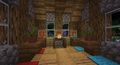
|
VOOZH | about |
|
VOOZH | about |
{
 "extratext": "View [[#Gallery|all renders]]",
 "title": "Candle",
 "images": [
 "Candle.png",
 "White Candle.png",
 "Light Gray Candle.png",
 "Gray Candle.png",
 "Black Candle.png",
 "Brown Candle.png",
 "Red Candle.png",
 "Orange Candle.png",
 "Yellow Candle.png",
 "Lime Candle.png",
 "Green Candle.png",
 "Cyan Candle.png",
 "Light Blue Candle.png",
 "Blue Candle.png",
 "Purple Candle.png",
 "Magenta Candle.png",
 "Pink Candle.png"
 ],
 "rows": [
 {
 "field": "<span style=\"white-space: nowrap;\"><span style=\"display: inline-block; background-color: #fff; border: 1px solid #888; border-radius: 0.3em; color: transparent; width: 1em; height: 1em; vertical-align: -0.36em; margin-right: -0.1em\"><br></span> </span> Common",
 "label": "(link to Rarity article, displayed as Rarity tier)"
 },
 {
 "field": "Yes",
 "label": "(link to Renewable resource article, displayed as Renewable)"
 },
 {
 "field": "Yes (64)",
 "label": "Stackable"
 },
 {
 "field": "Any tool",
 "label": "Tool"
 },
 {
 "field": "0.1",
 "label": "(link to Explosion#Blast resistance article, displayed as Blast resistance)"
 },
 {
 "field": "0.1",
 "label": "(link to Breaking#Blocks by hardness article, displayed as Hardness)"
 },
 {
 "field": "Yes, when lit <br> 1 candle: 3 <br> 2 candles: 6 <br> 3 candles: 9 <br> 4 candles: 12",
 "label": "(link to Light article, displayed as Luminous)"
 },
 {
 "field": "Yes",
 "label": "(link to Opacity article, displayed as Transparent)"
 },
 {
 "field": "Yes",
 "label": "(link to Waterlogging article, displayed as Waterloggable)"
 },
 {
 "field": "No",
 "label": "(link to Flammable article, displayed as Flammable)"
 },
 {
 "field": "No",
 "label": "Catches fire<br>from (link to lava article, displayed as lava)"
 },
 {
 "field": "(values exceeds 1000 characters...)",
 "label": "(link to Map color article, displayed as Map color)"
 },
 {
 "field": "Default (Harp)",
 "label": "(link to Note Block#Instruments article, displayed as Note block instrument)"
 }
 ],
 "invimages": [
 "Candle",
 "White Candle",
 "Light Gray Candle",
 "Gray Candle",
 "Black Candle",
 "Brown Candle",
 "Red Candle",
 "Orange Candle",
 "Yellow Candle",
 "Lime Candle",
 "Green Candle",
 "Cyan Candle",
 "Light Blue Candle",
 "Blue Candle",
 "Purple Candle",
 "Magenta Candle",
 "Pink Candle"
 ]
}
A candle is a dyable block that emits light when lit with a flint and steel. Up to four of the same color of candle can be placed in one block space, which affects the amount of light produced.
Dyed candles are the dyed variants of candles that come in all sixteen colors, that once dyed, cannot be changed into a different color.
All candles can be mined using any tool, or without a tool.
| Block | 👁 Image 👁 Image Dyed Candle | |
|---|---|---|
| Hardness | 0.1 | |
| Breaking time (secs) | ||
| Default | 0.15 | |
Non-dyed candles and white candles can be found in ancient cities. Non-dyed and red candles can also be found in the trial chambers.
| Item | Structure | Container | Quantity | Chance |
|---|---|---|---|---|
| Java Edition and Bedrock Edition | ||||
| 👁 Image |
👁 Image Trail Ruins |
Suspicious gravel | 1 | 4.4%{ "item": "Brown Candle", "stacksize": 1, "chance": 0.0444444444444444, "structure": "Trail Ruins", "container": "Suspicious gravel" }
|
| 👁 Image |
👁 Image Ancient City |
Chest | 1–4 | 23.7%{ "item": "Candle", "stacksize": "1–4", "chance": 0.23725332720231262, "structure": "Ancient City", "container": "Chest" }
|
| 👁 Image |
👁 Image Trail Ruins |
Suspicious gravel | 1 | 4.4%{ "item": "Green Candle", "stacksize": 1, "chance": 0.0444444444444444, "structure": "Trail Ruins", "container": "Suspicious gravel" }
|
| 👁 Image |
👁 Image Trail Ruins |
Suspicious gravel | 1 | 4.4%{ "item": "Purple Candle", "stacksize": 1, "chance": 0.0444444444444444, "structure": "Trail Ruins", "container": "Suspicious gravel" }
|
| 👁 Image |
👁 Image Trail Ruins |
Suspicious gravel | 1 | 4.4%{ "item": "Red Candle", "stacksize": 1, "chance": 0.0444444444444444, "structure": "Trail Ruins", "container": "Suspicious gravel" }
|
| Java Edition 26.3 | ||||
| 👁 Image |
👁 Image Abandoned Camp |
Common chest | 1–3 | 27.5%{ "item": "White Candle", "stacksize": "1–3", "chance": 0.2747977375984192, "structure": "Abandoned Camp", "container": "Common chest" }
|
| Barrel | 1–3 | 33.6%{ "item": "White Candle", "stacksize": "1–3", "chance": 0.3358200203334857, "structure": "Abandoned Camp", "container": "Barrel" }
| ||
| Bedrock Edition 26.40 | ||||
| 👁 Image |
👁 Image Abandoned Camp |
Common chest | 1–3 | 27.5%{ "item": "White Candle", "stacksize": "1–3", "chance": 0.2747977375984192, "structure": "Abandoned Camp", "container": "Common chest" }
|
| Barrel | 1–3 | 33.6%{ "item": "White Candle", "stacksize": "1–3", "chance": 0.3358200203334857, "structure": "Abandoned Camp", "container": "Barrel" }
| ||
| Villager | Probability | Villager wants | Player receives | Trades in stock | Villager experience | Price multiplier | ||
|---|---|---|---|---|---|---|---|---|
| JE | BE | |||||||
| 👁 Image Librarian | 👁 Image Master | 100% | 75% | 3 × 👁 Image Emerald | 👁 Image Red Candle | 12 | 30 | 0.05 |
| 100% | 25% | 3 × 👁 Image Emerald | 👁 Image Yellow Candle | 12 | 30 | 0.05 | ||
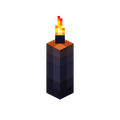
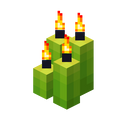
All candles can be used as a light source, emitting light like a sea pickle. A single candle emits a light level of 3. Up to four identically colored candles may be placed in one block, with each candle increasing the emitted light level by 3, for a maximum light level of 12. They also emit fire particles.
| Candles | Light level | |
|---|---|---|
| 1 | 👁 Image |
3 |
| 2 | 👁 Image |
6 |
| 3 | 👁 Image |
9 |
| 4 | 👁 Image |
12 |
Candles are not lit when they are placed, and must be lit using flint and steel, fire charge, or any flaming projectile. If any candle is already lit, more candle(s) that may be added (if possible) are also lit. In Bedrock Edition, a mob/player that is burning or any sword enchanted with Fire Aspect can also be used to light candles. Any candle may be waterlogged, but waterlogged candles cannot be lit. Lit candles can be extinguished using water (even a water bottle[Java Edition only]), wind charges, or by the player interacting with the candle.
When the Render Dragon Features for Creators experiment is enabled in Minecraft Preview, the center of all types of lit candles emits colored point lighting with
#d3852b. This causes the bottom part of the candle to render a small shadow below it.
A single candle of any color may be used on an uneaten cake, turning it into a candle cake, which acts as a normal, singular candle on top of a cake. If the candle cake is eaten at all or destroyed, the candle is dropped. Interacting with the lit candle (but not the cake) extinguishes it. Interacting with a lit candle cake causes the player to eat it if possible, but if the held item is a flint and steel or fire charge, the appropriate block becomes lit, if possible (otherwise nothing happens).
Lit candled cakes emit the same point lighting as regular candles.
👁 ItemSprite candle.png: Sprite image for candle in Minecraftcandle sound type | ||||||||
|---|---|---|---|---|---|---|---|---|
| Sound | Closed captions | Source | Description | Identifier | Translation key | Volume | Pitch | Attenuation distance |
| Block broken | Blocks | Once the block has broken | block.candle.break | subtitles.block.generic.break | 1.0 | 0.8 | 16 | |
| Block placed | Blocks | When the block is placed | block.candle.place | subtitles.block.generic.place | 1.0 | 0.8 | 16 | |
| Block breaking | Blocks | While the block is in the process of being broken | block.candle.hit | subtitles.block.generic.hit | 0.25 | 0.5 | 16 | |
| Something falls on a block | Entity-Dependent | Falling on the block with fall damage | block.candle.fall | subtitles.block.generic.fall | 0.5 | 0.75 | 16 | |
| Footsteps | Entity-Dependent | Walking on the block | block.candle.step | subtitles.block.generic.footsteps | 0.15 | 1.0 | 16 | |
👁 ItemSprite candle.png: Sprite image for candle in Minecraftcandle sound type | |||||||
|---|---|---|---|---|---|---|---|
| Sound | Closed captions | Source | Description | Identifier | Translation key | Volume | Pitch |
| ? | Blocks | Once the block has broken | dig.candle | ? | 1.0 | 1.0 | |
| ? | Blocks | When the block is placed | dig.candle | ? | 1.0 | 1.0 | |
| ? | Blocks | While the block is in the process of being broken | hit.candle | ? | 1.0 | 1.0 | |
| ? | Blocks | Falling on the block with fall damage | step.candle | ? | 1.0 | 1.0 | |
| ? | Blocks | Walking on the block | step.candle | ? | 1.0 | 1.0 | |
| ? | Blocks | Jumping from the block | step.candle | ? | 1.0 | 1.0 | |
| ? | Blocks | Falling on the block without fall damage | step.candle | ? | 1.0 | 1.0 | |
| Sounds | ||||||||
|---|---|---|---|---|---|---|---|---|
| Sound | Closed captions | Source | Description | Identifier | Translation key | Volume | Pitch | Attenuation distance |
| Cake squishes | Blocks | When a candle is placed on a cake | block.cake.add_candle | subtitles.block.cake.add_candle | 1.0 | 1.0 | 16 | |
| Candle crackles | Blocks | Randomly while lit | block.candle.ambient | subtitles.block.candle.crackle | varies [sound 1] | varies [sound 2] | 3 | |
| Candle extinguishes | Blocks | When a candle is extinguished | block.candle.extinguish | subtitles.block.candle.extinguish | varies [sound 3] | varies [sound 4] | 8 | |
| Sounds | |||||||
|---|---|---|---|---|---|---|---|
| Sound | Closed captions | Source | Description | Identifier | Translation key | Volume | Pitch |
| ? | Blocks | When a candle is placed on a cake | cake.add_candle | ? | 1.0 | 1.0 | |
| ? | Blocks | Randomly while lit [sound 1] | ambient.candle | ? | varies[sound 2] | varies[sound 3] | |
| ? | Blocks | When a candle is extinguished [sound 1] | extinguish.candle | ? | varies[sound 4] | varies[sound 5] | |
| Name | Identifier | Numeric ID | Form | Item ID[i 1] | Translation key |
|---|---|---|---|---|---|
| 👁 BlockSprite candle.png: Sprite image for candle in Minecraft Candle | candle | 667 | Block & Giveable Item[i 2] | Identical[i 3] (Numeric: -412) |
tile.candle.name |
| 👁 BlockSprite white-candle.png: Sprite image for white-candle in Minecraft White Candle | white_candle | 668 | Block & Giveable Item[i 2] | Identical[i 3] (Numeric: -413) |
tile.white_candle.name |
| 👁 BlockSprite orange-candle.png: Sprite image for orange-candle in Minecraft Orange Candle | orange_candle | 669 | Block & Giveable Item[i 2] | Identical[i 3] (Numeric: -414) |
tile.orange_candle.name |
| 👁 BlockSprite magenta-candle.png: Sprite image for magenta-candle in Minecraft Magenta Candle | magenta_candle | 670 | Block & Giveable Item[i 2] | Identical[i 3] (Numeric: -415) |
tile.magenta_candle.name |
| 👁 BlockSprite light-blue-candle.png: Sprite image for light-blue-candle in Minecraft Light Blue Candle | light_blue_candle | 671 | Block & Giveable Item[i 2] | Identical[i 3] (Numeric: -416) |
tile.light_blue_candle.name |
| 👁 BlockSprite yellow-candle.png: Sprite image for yellow-candle in Minecraft Yellow Candle | yellow_candle | 672 | Block & Giveable Item[i 2] | Identical[i 3] (Numeric: -417) |
tile.yellow_candle.name |
| 👁 BlockSprite lime-candle.png: Sprite image for lime-candle in Minecraft Lime Candle | lime_candle | 673 | Block & Giveable Item[i 2] | Identical[i 3] (Numeric: -418) |
tile.lime_candle.name |
| 👁 BlockSprite pink-candle.png: Sprite image for pink-candle in Minecraft Pink Candle | pink_candle | 674 | Block & Giveable Item[i 2] | Identical[i 3] (Numeric: -419) |
tile.pink_candle.name |
| 👁 BlockSprite gray-candle.png: Sprite image for gray-candle in Minecraft Gray Candle | gray_candle | 675 | Block & Giveable Item[i 2] | Identical[i 3] (Numeric: -420) |
tile.gray_candle.name |
| 👁 BlockSprite light-gray-candle.png: Sprite image for light-gray-candle in Minecraft Light Gray Candle | light_gray_candle | 676 | Block & Giveable Item[i 2] | Identical[i 3] (Numeric: -421) |
tile.light_gray_candle.name |
| 👁 BlockSprite cyan-candle.png: Sprite image for cyan-candle in Minecraft Cyan Candle | cyan_candle | 677 | Block & Giveable Item[i 2] | Identical[i 3] (Numeric: -422) |
tile.cyan_candle.name |
| 👁 BlockSprite purple-candle.png: Sprite image for purple-candle in Minecraft Purple Candle | purple_candle | 678 | Block & Giveable Item[i 2] | Identical[i 3] (Numeric: -423) |
tile.purple_candle.name |
| 👁 BlockSprite blue-candle.png: Sprite image for blue-candle in Minecraft Blue Candle | blue_candle | 679 | Block & Giveable Item[i 2] | Identical[i 3] (Numeric: -424) |
tile.blue_candle.name |
| 👁 BlockSprite brown-candle.png: Sprite image for brown-candle in Minecraft Brown Candle | brown_candle | 680 | Block & Giveable Item[i 2] | Identical[i 3] (Numeric: -425) |
tile.brown_candle.name |
| 👁 BlockSprite green-candle.png: Sprite image for green-candle in Minecraft Green Candle | green_candle | 681 | Block & Giveable Item[i 2] | Identical[i 3] (Numeric: -426) |
tile.green_candle.name |
| 👁 BlockSprite red-candle.png: Sprite image for red-candle in Minecraft Red Candle | red_candle | 682 | Block & Giveable Item[i 2] | Identical[i 3] (Numeric: -427) |
tile.red_candle.name |
| 👁 BlockSprite black-candle.png: Sprite image for black-candle in Minecraft Black Candle | black_candle | 683 | Block & Giveable Item[i 2] | Identical[i 3] (Numeric: -428) |
tile.black_candle.name |
| Name | Default value | Allowed values | Description |
|---|---|---|---|
| candles | 1 | 1234 | Number of candles. |
| lit | false | falsetrue | Whether or not these candles are lit. |
| waterlogged | false | falsetrue | Whether or not there's water in the same place as these candles. |
| Name | Metadata Bits | Default value | Allowed values | Values for Metadata Bits |
Description |
|---|---|---|---|---|---|
| candles | 0x10x2 | 0 | 0123 | 0123 | Number of candles, starting from 1 to 4. |
| lit | 0x4 | false | falsetrue | 01 | Whether or not these candles are lit. |
| October 3, 2020 | 👁 Image 👁 Image 👁 Image 👁 Image Black and white candles are shown unnamed at Minecraft Live 2020 as part of the deep dark biome. | ||||||
|---|---|---|---|---|---|---|---|
| May 28, 2021 | 👁 Image 👁 Image 👁 Image 👁 Image 👁 Image 👁 Image 👁 Image 👁 Image 👁 Image 👁 Image 👁 Image 👁 Image 👁 Image 👁 Image 👁 Image 👁 Image JAPPA tweets a new iteration of the new lit dyed candle textures. | ||||||
| May 31, 2021 | 👁 Image 👁 Image 👁 Image 👁 Image 👁 Image 👁 Image 👁 Image 👁 Image 👁 Image 👁 Image 👁 Image 👁 Image 👁 Image 👁 Image 👁 Image 👁 Image JAPPA tweets another iteration of the new lit dyed candle textures. | ||||||
| Java Edition | |||||||
|---|---|---|---|---|---|---|---|
| 1.17 | 20w45a | 👁 Image 👁 Image 👁 Image 👁 Image 👁 Image 👁 Image 👁 Image 👁 Image 👁 Image 👁 Image 👁 Image 👁 Image 👁 Image 👁 Image 👁 Image 👁 Image 👁 Image 👁 Image 👁 Image 👁 Image 👁 Image 👁 Image 👁 Image 👁 Image 👁 Image 👁 Image 👁 Image 👁 Image 👁 Image 👁 Image 👁 Image 👁 Image 👁 Image 👁 Image 👁 Image 👁 Image 👁 Image 👁 Image 👁 Image 👁 Image 👁 Image 👁 Image 👁 Image 👁 Image 👁 Image 👁 Image 👁 Image 👁 Image 👁 Image 👁 Image 👁 Image Added candles and dyed candles. | |||||
| 20w46a | 👁 Image 👁 Image 👁 Image 👁 Image 👁 Image 👁 Image 👁 Image 👁 Image 👁 Image 👁 Image 👁 Image 👁 Image 👁 Image 👁 Image 👁 Image 👁 Image 👁 Image The textures of candle and dyed candle items have been changed. | ||||||
| 20w48a | 👁 Image 👁 Image 👁 Image 👁 Image 👁 Image 👁 Image 👁 Image 👁 Image 👁 Image 👁 Image 👁 Image 👁 Image 👁 Image 👁 Image 👁 Image 👁 Image 👁 Image The textures of candle and dyed candle items have been changed again, removing the smaller candle in the inventory sprite. | ||||||
| All candles can no longer be placed on blocks that are not solid, such as chests and cobwebs. | |||||||
| 21w13a | All candles can now be extinguished by splash water bottles and by lingering water bottles. | ||||||
| 21w18a | All candles can no longer be extinguished when the player is in adventure mode. | ||||||
| 21w19a | All candles are now accessible only through commands. | ||||||
| pre1 | 👁 Image 👁 Image 👁 Image 👁 Image 👁 Image 👁 Image 👁 Image 👁 Image 👁 Image 👁 Image 👁 Image 👁 Image 👁 Image 👁 Image 👁 Image 👁 Image 👁 Image Candles and dyed candles now have a different texture when lit, having the top 20 pixels of the candle being lighter. | ||||||
| All candles have been added back into the creative inventory. | |||||||
| Recipes for dyeing and crafting candles are once again available. | |||||||
| pre3 | 👁 Image 👁 Image 👁 Image 👁 Image 👁 Image 👁 Image 👁 Image 👁 Image 👁 Image 👁 Image 👁 Image 👁 Image 👁 Image 👁 Image 👁 Image 👁 Image The textures of dyed lit candles have been changed again, having subtler lighting on the top. | ||||||
| The texture for lit candles now also changes when on a cake.[1] | |||||||
| 1.19 | Deep Dark Experimental Snapshot 1 | Non-dyed candles and white candles now generate in ancient cities. | |||||
| Non-dyed candles can also generate in ancient city chests. | |||||||
| 1.20 | 23w12a | Brown, green, purple, and red candles can now be found in suspicious gravel and suspicious sand in trail ruins. | |||||
| 23w16a | Brown, green, purple, and red candles no longer generates in suspicious sand in trail ruins as all sand in the structure has been removed. | ||||||
| Due to the split of the archaeological loot tables for the suspicious gravel within the trail ruins, brown, green, purple, and red candles are now common loot. | |||||||
| 1.20.3 Experiment | 23w45a | Non-dyed candles now generate in trial chambers. | |||||
| 1.20.5 | 24w09a | Candles now have a unique subtitle, "Candle extinguishes" instead of "Fire extinguished", for being extinguished.[2] | |||||
| 1.20.5 Experiment | 24w13a | Red candles now generate in trial chambers next to ominous vaults. | |||||
| 26.1 | snap11 | Yellow and red candles can now be bought from librarian villagers. | |||||
| Upcoming Java Edition | |||||||
| 26.3 | snap1 | White candles can now generate as part of abandoned camps in barrels and chests. | |||||
Issues relating to "Candle" are maintained on the bug tracker. Issues should be reported and viewed there.
/setblock ~ ~ ~ minecraft:candle[lit=true,waterlogged=true] allows for a both lit and waterlogged candle. The same thing can be done using the debug stick.| Dyed materials | |||||
|---|---|---|---|---|---|
| Dyes |
| ||||
| Blocks |
| ||||
| Items |
| ||||
| Mobs |
| ||||


_JE2_BE1.gif)

_JE2_BE1.png)

_JE2_BE1.png)

_JE2_BE1.png)

_JE2_BE1.png)


_JE1.png)

_JE1.png)

_JE1.png)

_JE1.png)

_(pre-release).png)

_(pre-release).png)

_(pre-release).png)

_(pre-release).png)

_(pre-release).png)

_(pre-release).png)

_(pre-release).png)

_(pre-release).png)

_(pre-release).png)

_(pre-release).png)

_(pre-release).png)

_(pre-release).png)

_(pre-release).png)

_(pre-release).png)

_(pre-release).png)

_(pre-release).png)

_JE3.png)

_JE3.png)

_JE3.png)

_JE3.png)

_JE3.png)

_JE3.png)

_JE3.png)

_JE3.png)

_JE3.png)

_JE3.png)

_JE3.png)

_JE3.png)

_JE3.png)

_JE3.png)

_JE3.png)

_JE3.png)


_JE1.png)

_JE1.png)

_JE1.png)

_JE1.png)

_JE1.png)

_JE1.png)

_JE1.png)

_JE1.png)

_JE1.png)

_JE1.png)

_JE1.png)

_JE1.png)

_JE1.png)

_JE1.png)

_JE1.png)

_JE1.png)

_JE1.png)

_JE1.png)

_JE1.png)

_JE1.png)

_JE1.png)

_JE1.png)

_JE1.png)

_JE1.png)

_JE1.png)

_JE1.png)

_JE1.png)

_JE1.png)

_JE1.png)

_JE1.png)

_JE1.png)

_JE1.png)

_JE1.png)

_JE2.png)

_JE2.png)

_JE2.png)

_JE2.png)

_JE2.png)

_JE2.png)

_JE2.png)

_JE2.png)

_JE2.png)

_JE2.png)

_JE2.png)

_JE2.png)

_JE2.png)

_JE2.png)

_JE2.png)

_JE2.png)

_JE2.png)

_JE3_BE1.png)

_JE3_BE1.png)

_JE3_BE1.png)

_JE3_BE1.png)

_JE3_BE1.png)

_JE3_BE1.png)

_JE3_BE1.png)

_JE3_BE1.png)

_JE3_BE1.png)

_JE3_BE1.png)

_JE3_BE1.png)

_JE3_BE1.png)

_JE3_BE1.png)

_JE3_BE1.png)

_JE3_BE1.png)

_JE3_BE1.png)

_JE3_BE1.png)

_JE2.png)

_JE2.png)

_JE2.png)

_JE2.png)

_JE2.png)

_JE2.png)

_JE2.png)

_JE2.png)

_JE2.png)

_JE2.png)

_JE2.png)

_JE2.png)

_JE2.png)

_JE2.png)

_JE2.png)

_JE2.png)

_JE2.png)


_BE1.png)

_BE1.png)

_BE1.png)

_BE1.png)

_BE1.png)

_BE1.png)

_BE1.png)

_BE1.png)

_BE1.png)

_BE1.png)

_BE1.png)

_BE1.png)

_BE1.png)

_BE1.png)

_BE1.png)

_BE1.png)

_BE1.png)


_JE3.png)

_JE3.png)

_JE3.png)

_JE3_BE1.png)

_JE3.png)

_JE3.png)

_JE3.png)

_JE3_BE1.png)

_JE3.png)

_JE3.png)

_JE3.png)

_JE3_BE1.png)
_JE3.png)

_JE3.png)

_JE3.png)

_JE3_BE1.png)

_JE3.png)

_JE3.png)

_JE3.png)

_JE3_BE1.png)

_JE3.png)

_JE3.png)

_JE3.png)

_JE3_BE1.png)

_JE3.png)

_JE3.png)

_JE3.png)

_JE3_BE1.png)

_JE3.png)

_JE3.png)

_JE3.png)

_JE3_BE1.png)

_JE3.png)

_JE3.png)

_JE3.png)
_JE3_BE1.png)

_JE3.png)

_JE3.png)

_JE3.png)

_JE3_BE1.png)

_JE3.png)

_JE3.png)

_JE3.png)

_JE3_BE1.png)

_JE3.png)

_JE3.png)

_JE3.png)

_JE3_BE1.png)

_JE3.png)

_JE3.png)

_JE3.png)

_JE3_BE1.png)

_JE3.png)

_JE3.png)

_JE3.png)

_JE3_BE1.png)

_JE3.png)

_JE3.png)

_JE3.png)

_JE3_BE1.png)

_JE3.png)

_JE3.png)

_JE3.png)




_JE2.png)

_JE2.png)

_JE2.png)

_JE2.png)

_JE2.png)

_JE2.png)

_JE3.png)

_JE3.png)

_JE3.png)

_JE2.png)

_JE2.png)

_JE2.png)

_JE2.png)

_JE2.png)

_JE2.png)

_JE2.png)

_JE2.png)