 |
VOOZH | about |
|
VOOZH | about |
{
 "title": "Sign",
 "rows": [
 {
 "field": "Yes",
 "label": "(link to Renewable resource article, displayed as Renewable)"
 },
 {
 "field": "Yes (16)",
 "label": "Stackable"
 },
 {
 "field": "<span class=\"sprite-file\" style=\"height:32px;width:32px;--vertical-align:middle\">(link to File:SlotSprite Axe Required.png article, displayed as 32x32px|link=|alt=SlotSprite Axe Required.png: Sprite image for Axe Required in Minecraft|class=pixel-image|This block can be broken with any tool, but an axe is the quickest)</span>",
 "label": "Tool"
 },
 {
 "field": "1",
 "label": "(link to Explosion#Blast resistance article, displayed as Blast resistance)"
 },
 {
 "field": "1",
 "label": "(link to Breaking#Blocks by hardness article, displayed as Hardness)"
 },
 {
 "field": "No",
 "label": "(link to Light article, displayed as Luminous)"
 },
 {
 "field": "Yes",
 "label": "(link to Opacity article, displayed as Transparent)"
 },
 {
 "field": "Yes",
 "label": "(link to Waterlogging article, displayed as Waterloggable)"
 },
 {
 "field": "No",
 "label": "(link to Flammable article, displayed as Flammable)"
 },
 {
 "field": "'''(link to Java Edition article, displayed as JE):''' Yes, except <span class=\"sprite-file\" style=\"\">(link to File:BlockSprite crimson-sign.png article, displayed as 16x16px|link=|alt=BlockSprite crimson-sign.png: Sprite image for crimson-sign in Minecraft|class=pixel-image|)</span> Crimson and <span class=\"sprite-file\" style=\"\">(link to File:BlockSprite warped-sign.png article, displayed as 16x16px|link=|alt=BlockSprite warped-sign.png: Sprite image for warped-sign in Minecraft|class=pixel-image|)</span> Warped Signs<br>'''(link to Bedrock Edition article, displayed as BE):''' Yes",
 "label": "Catches fire<br>from (link to lava article, displayed as lava)"
 },
 {
 "field": "(values exceeds 1000 characters...)",
 "label": "(link to Map color article, displayed as Map color)"
 },
 {
 "field": "Bass",
 "label": "(link to Note Block#Instruments article, displayed as Note block instrument)"
 }
 ],
 "invimages": [
 "Oak Sign",
 "Spruce Sign",
 "Birch Sign",
 "Jungle Sign",
 "Acacia Sign",
 "Dark Oak Sign",
 "Mangrove Sign",
 "Poplar Sign",
 "Cherry Sign",
 "Pale Oak Sign",
 "Crimson Sign",
 "Warped Sign"
 ],
 "images": [
 "Oak Sign.png",
 "Oak Wall Sign.png",
 "Spruce Sign.png",
 "Spruce Wall Sign.png",
 "Birch Sign.png",
 "Birch Wall Sign.png",
 "Jungle Sign.png",
 "Jungle Wall Sign.png",
 "Acacia Sign.png",
 "Acacia Wall Sign.png",
 "Dark Oak Sign.png",
 "Dark Oak Wall Sign.png",
 "Mangrove Sign.png",
 "Mangrove Wall Sign.png",
 "Poplar Sign.png",
 "Poplar Wall Sign.png",
 "Cherry Sign.png",
 "Cherry Wall Sign.png",
 "Pale Oak Sign.png",
 "Pale Oak Wall Sign.png",
 "Bamboo Sign.png",
 "Bamboo Wall Sign.png",
 "Crimson Sign.png",
 "Crimson Wall Sign.png",
 "Warped Sign.png",
 "Warped Wall Sign.png"
 ]
}
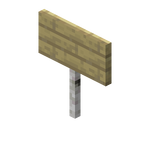
A sign is a non-solid block that can display text, and can be placed on the top or side of other blocks. The text of signs can be customized with dyes and glow ink sacs, and they can be waxed to prevent its text from being edited by any player.
Signs can be broken with any tool or without a tool, but an axe is fastest.
| Block | 👁 Image | |
|---|---|---|
| Hardness | 1 | |
| Tool | 👁 Image | |
| Breaking time (sec)[A] | ||
| Default | 1.5 | |
| 👁 ItemSprite wooden-axe.png: Sprite image for wooden-axe in Minecraft Wooden |
0.75 | |
| 👁 ItemSprite stone-axe.png: Sprite image for stone-axe in Minecraft Stone |
0.4 | |
| 👁 ItemSprite copper-axe.png: Sprite image for copper-axe in Minecraft Copper |
0.3 | |
| 👁 ItemSprite iron-axe.png: Sprite image for iron-axe in Minecraft Iron |
0.25 | |
| 👁 ItemSprite diamond-axe.png: Sprite image for diamond-axe in Minecraft Diamond |
0.2 | |
| 👁 ItemSprite netherite-axe.png: Sprite image for netherite-axe in Minecraft Netherite |
0.2 | |
| 👁 ItemSprite golden-axe.png: Sprite image for golden-axe in Minecraft Golden |
0.15 | |
A sign also breaks and drops itself as an item if the block the sign is attached to is moved, removed or destroyed.
An oak sign can be found in igloo basements. Spruce signs can be found in taiga village houses, as part of a chair but the sign says nothing.
| Item | Structure | Container | Quantity | Chance |
|---|---|---|---|---|
| Java Edition | ||||
| 👁 Image |
👁 Image Village |
Taiga house chest | 1 | 9.7%{ "item": "Spruce Sign", "stacksize": 1, "chance": 0.09723883474496142, "structure": "Village", "container": "Taiga house chest" }
|
| Bedrock Edition | ||||
| 👁 Image |
👁 Image Village |
Taiga house chest | 1 | 10.7%{ "item": "Oak Sign", "stacksize": 1, "chance": 0.10665831307875395, "structure": "Village", "container": "Taiga house chest" }
|
Signs can be used to display text; they can be used to label storage, display information to other players or note areas of interest. Signs are also not destroyed by water or lava and therefore may be used to control the flow of these fluids.
Signs may be placed on the top or side of other blocks (including semi-solid and non-solid blocks such as fences, trapdoors and other signs). To place a sign, use a sign item while pointing at the block the sign should be attached to, enter the desired text (or none), and click the "Done" button,[JE only] press anywhere outside the sign texture,[BE only], press "escape" on a keyboard, or 👁 B button
on an Xbox controller, 👁 Circle button
on a PlayStation controller, or 👁 B Button
on a Nintendo Switch controller. Closing the virtual keyboard on a mobile device also exits the typing menu. To place a sign on a block that can be interacted with by the use control (for example, chests, note blocks, etc.), sneak while placing the sign.
Signs on the top of a block stand on a short post and face toward the player who placed it, in any of 16 different directions. Signs placed on the side of a block simply float there, even if the block doesn't make contact with the sign.
For more information about the blocks signs can be placed on, see Opacity/Placement.
Placing a sign opens an editor interface resembling a magnified view of the sign. Up to four lines of text can then be entered using a keyboard (hardware or on-screen). The editor supports limited editing, including moving the cursor and inserting and deleting characters. In Bedrock Edition, formatting codes with § can also be used to apply decorative effects such as color, bold, italic and obfuscated to various bits of the text.
Text can be added to the back side of a sign by interacting with that side of the sign after placing it and editing the front.
Signs can be waxed by using a honeycomb on it. Once waxed, a sign cannot be unwaxed or edited without being broken and placed down again or by using commands like /data
After placing and affixing text on a sign, a player can change the text color by using a dye on it. When colored with dye, the text color may differ from any color specified by formatting codes. These values are hard-coded in the game's code, each dye color maps to one of these. The dye color on the sign's face is applied to all 4 lines of text. Any text that has been colored with text component format overwrites this color, effectively making the 'dye' color be used as a base color for any unstyled text.
A player can use a glow ink sac on a sign to make its text glow and have an outline. The glowing text is not affected by lighting. The player can use a regular black ink sac on the sign to remove the glowing effect. If the text has been colored with text component format the glow outline still shows the default white or the color of underlying dye that was used on the sign.
| Name | Main color | Outline color |
|---|---|---|
| Black | #000000 |
#F0EBCC |
| Red | #FF0000 |
#660000 |
| Green | #00FF00 |
#006600 |
| Brown | #8B4513 |
#371B07 |
| Blue | #0000FF |
#000066 |
| Purple | #A020F0 |
#400C60 |
| Cyan | #00FFFF |
#006666 |
| Light gray | #D3D3D3 |
#545454 |
| Gray | #808080 |
#333333 |
| Pink | #FF69B4 |
#662A48 |
| Lime | #BFFF00 |
#4C6600 |
| Yellow | #FFFF00 |
#666600 |
| Light blue | #9AC0CD |
#3D4C52 |
| Magenta | #FF00FF |
#660066 |
| Orange | #FF681F |
#66290C |
| White | #FFFFFF |
#666666 |
In Creative mode, the combination + pick block on Windows/Linux, or + pick block on macOS, can be used to copy an already-placed sign, including its text (with decorations), into the player's inventory.
A dyed sign facing east or west has text that appears more saturated and bright than a sign facing north or south. However, it is actually the sign that is dimmer, because Minecraft's lighting engine uses side lighting to make the world appear less flat, but the text on signs is not affected by this.
In Bedrock Edition and on Java Realms, inappropriate words or phrases in a sign's text are displayed as hashtags if the "Filter Profanity" setting is enabled.
In Java Edition, signs can be created with text components, which allows complex formatting (colors, bold, italic, etc.), hover and click events, localized translation (for Minecraft technical terms, like "Redstone Repeater", otherwise translations must be provided in language files in resource packs), and the incorporation of scoreboard values into text. Use the /data merge block command to create or alter text component-based signs.
/data merge block ~ ~1 ~ {front_text: {color: "green", messages: [{selector: "@p", bold: false, italic: false, underlined: false, strikethrough: false, obfuscated: false, text: "First Line"}, 'Second Line', '', '']}}Signs can post the success count of text hover and click events to scoreboard objectives. The objectives to be used can be specified by running the /execute store command or by modifying the sign's NBT data directly with the /data merge block command.
Signs can be edited after being placed by using them, which opens the edit sign message GUI.
Signs are destroyed and drop as an item when pushed by a piston.[Bedrock Edition only]
Signs are non-solid and have no collision, so items and mobs can move through sign blocks. Other blocks (including other signs) can be placed on any edge of a sign.
Water and lava flow around signs. Lava can create fire in air blocks next to signs as if the signs were flammable, but the signs do not burn (and cannot be burned by other methods either, except in Bedrock Edition).
Overworld signs can be used as a fuel in furnaces, smelting an item per sign. Nether signs (crimson and warped), cannot be used as fuel in a furnace.
👁 BlockSprite oak-planks.png: Sprite image for oak-planks in Minecraftwood sound type | ||||||||
|---|---|---|---|---|---|---|---|---|
| Sound | Closed captions | Source | Description | Identifier | Translation key | Volume | Pitch | Attenuation distance |
| Block broken | Blocks | Once the block has broken | block.wood.break | subtitles.block.generic.break | 1.0 | 0.8 | 16 | |
| Block placed | Blocks | When the block is placed | block.wood.place | subtitles.block.generic.place | 1.0 | 0.8 | 16 | |
| Block breaking | Blocks | While the block is in the process of being broken | block.wood.hit | subtitles.block.generic.hit | 0.25 | 0.5 | 16 | |
| Something falls on a block | Entity-Dependent | Falling on the block with fall damage | block.wood.fall | subtitles.block.generic.fall | 0.5 | 0.75 | 16 | |
| Footsteps | Entity-Dependent | Walking on the block | block.wood.step | subtitles.block.generic.footsteps | 0.15 | 1.0 | 16 | |
👁 BlockSprite oak-planks.png: Sprite image for oak-planks in Minecraftwood sound type | |||||||
|---|---|---|---|---|---|---|---|
| Sound | Closed captions | Source | Description | Identifier | Translation key | Volume | Pitch |
| Block broken | Blocks | Once the block has broken | dig.wood | subtitles.block.generic.break | 1.0 | 0.8–1.0 | |
| Block placed | Blocks | When the block is placed | place.wood | subtitles.block.generic.place | 1.0 | 0.8 | |
| Axe strips | Blocks | When an axe strips a log or wood block [sound 1] | use.wood | subtitles.block.generic.hit | 1.0 | 0.8 | |
| Block breaking | Blocks | While the block is in the process of being broken | hit.wood | subtitles.block.generic.hit | 0.23 | 0.5 | |
| Footsteps | Players | Falling on the block with fall damage | fall.wood | subtitles.block.generic.footsteps | 0.4 | 1.0 | |
| Footsteps | Players | Walking on the block | step.wood | subtitles.block.generic.footsteps | 0.3 | 1.0 | |
| Footsteps | Blocks | Jumping from the block | jump.wood | subtitles.block.generic.footsteps | 0.12 | 1.0 | |
| Footsteps | Blocks | Falling on the block without fall damage | land.wood | subtitles.block.generic.footsteps | 0.18 | 1.0 | |
👁 BlockSprite cherry-planks.png: Sprite image for cherry-planks in Minecraftcherry_wood sound type | ||||||||
|---|---|---|---|---|---|---|---|---|
| Sound | Closed captions | Source | Description | Identifier | Translation key | Volume | Pitch | Attenuation distance |
| Block broken | Blocks | Once the block has broken | block.cherry_wood.break | subtitles.block.generic.break | 1.0 | 0.8 | 16 | |
| Block placed | Blocks | When the block is placed | block.cherry_wood.place | subtitles.block.generic.place | 1.0 | 0.8 | 16 | |
| Block breaking | Blocks | While the block is in the process of being broken | block.cherry_wood.hit | subtitles.block.generic.hit | 0.25 | 0.5 | 16 | |
| Something falls on a block | Entity-Dependent | Falling on the block with fall damage | block.cherry_wood.fall | subtitles.block.generic.fall | 0.5 | 0.75 | 16 | |
| Footsteps | Entity-Dependent | Walking on the block | block.cherry_wood.step | subtitles.block.generic.footsteps | 0.15 | 1.0 | 16 | |
👁 BlockSprite cherry-planks.png: Sprite image for cherry-planks in Minecraftcherry_wood sound type | |||||||
|---|---|---|---|---|---|---|---|
| Sound | Closed captions | Source | Description | Identifier | Translation key | Volume | Pitch |
| ? | Blocks | Once the block has broken | break.cherry_wood | ? | 1.0 | 0.8–1.0 | |
| ? | Blocks | When the block is placed | place.cherry_wood | ? | 1.0 | 0.8 | |
| ? | Blocks | While the block is in the process of being broken | hit.cherry_wood | ? | 0.23 | 0.5 | |
| ? | Players | Falling on the block with fall damage | fall.cherry_wood | ? | 0.4 | 1.0 | |
| ? | Players | Walking on the block | step.cherry_wood | ? | 0.2 | 1.0 | |
| ? | Players | Jumping from the block | step.cherry_wood | ? | 0.12 | 1.0 | |
| ? | Players | Falling on the block without fall damage | step.cherry_wood | ? | 0.18 | 1.0 | |
👁 BlockSprite bamboo-planks.png: Sprite image for bamboo-planks in Minecraftbamboo_wood sound type | ||||||||
|---|---|---|---|---|---|---|---|---|
| Sound | Closed captions | Source | Description | Identifier | Translation key | Volume | Pitch | Attenuation distance |
| Block broken | Blocks | Once the block has broken | block.bamboo_wood.break | subtitles.block.generic.break | 0.9 | 0.8 | 16 | |
| Block placed | Blocks | When the block is placed | block.bamboo_wood.place | subtitles.block.generic.place | 0.9 | 0.8 | 16 | |
| Block breaking | Blocks | While the block is in the process of being broken | block.bamboo_wood.hit | subtitles.block.generic.hit | 0.225 | 0.5 | 16 | |
| Something falls on a block | Entity-Dependent | Falling on the block with fall damage | block.bamboo_wood.fall | subtitles.block.generic.fall | 0.5 | 0.75 | 16 | |
| Footsteps | Entity-Dependent | Walking on the block | block.bamboo_wood.step | subtitles.block.generic.footsteps | 0.15 | 1.0 | 16 | |
👁 BlockSprite bamboo-planks.png: Sprite image for bamboo-planks in Minecraftbamboo_wood sound type | |||||||
|---|---|---|---|---|---|---|---|
| Sound | Closed captions | Source | Description | Identifier | Translation key | Volume | Pitch |
| ? | Blocks | Once the block has broken | break.bamboo_wood | ? | 0.9 | 0.8–1.0 | |
| ? | Blocks | When the block is placed | place.bamboo_wood | ? | 0.9 | 0.8 | |
| ? | Blocks | While the block is in the process of being broken | hit.bamboo_wood | ? | 0.207 | 0.5 | |
| ? | Players | Falling on the block with fall damage | fall.bamboo_wood | ? | 0.4 | 1.0 | |
| ? | Players | Walking on the block | step.bamboo_wood | ? | 0.2 | 1.0 | |
| ? | Players | Jumping from the block | step.bamboo_wood | ? | 0.12 | 1.0 | |
| ? | Players | Falling on the block without fall damage | step.bamboo_wood | ? | 0.18 | 1.0 | |
👁 BlockSprite warped-planks.png: Sprite image for warped-planks in Minecraftnether_wood sound type | ||||||||
|---|---|---|---|---|---|---|---|---|
| Sound | Closed captions | Source | Description | Identifier | Translation key | Volume | Pitch | Attenuation distance |
| Block broken | Blocks | Once the block has broken | block.nether_wood.break | subtitles.block.generic.break | 1.0 | 0.72 | 16 | |
| Block placed | Blocks | When the block is placed | block.nether_wood.place | subtitles.block.generic.place | 1.0 | 0.72 | 16 | |
| Block breaking | Blocks | While the block is in the process of being broken | block.nether_wood.hit | subtitles.block.generic.hit | 0.25 | 0.45 | 16 | |
| Something falls on a block | Entity-Dependent | Falling on the block with fall damage | block.nether_wood.fall | subtitles.block.generic.fall | 0.5 | 0.75 | 16 | |
| Footsteps | Entity-Dependent | Walking on the block | block.nether_wood.step | subtitles.block.generic.footsteps | 0.15 | 1.0 | 16 | |
👁 BlockSprite warped-planks.png: Sprite image for warped-planks in Minecraftnether_wood sound type | |||||||
|---|---|---|---|---|---|---|---|
| Sound | Closed captions | Source | Description | Identifier | Translation key | Volume | Pitch |
| ? | Blocks | Once the block has broken | break.nether_wood | ? | 1.0 | 0.8–1.0 | |
| ? | Blocks | When the block is placed | place.nether_wood | ? | 1.0 | 0.8 | |
| ? | Blocks | While the block is in the process of being broken | hit.nether_wood | ? | 0.23 | 0.5 | |
| ? | Players | Falling on the block with fall damage | fall.nether_wood | ? | 0.4 | 1.0 | |
| ? | Players | Walking on the block | step.nether_wood | ? | 0.3 | 1.0 | |
| ? | Players | Jumping from the block | step.nether_wood | ? | 0.12 | 1.0 | |
| ? | Players | Falling on the block without fall damage | step.nether_wood | ? | 0.18 | 1.0 | |
| Sounds | ||||||||
|---|---|---|---|---|---|---|---|---|
| Sound | Closed captions | Source | Description | Identifier | Translation key | Volume | Pitch | Attenuation distance |
| Glow Ink Sac splotches | Blocks | When a glow ink sac is used on a sign | item.glow_ink_sac.use | subtitles.item.glow_ink_sac.use | 1.0 | varies [sound 1] | 16 | |
| Ink Sac splotches | Blocks | When an ink sac is used on a sign | item.ink_sac.use | subtitles.item.ink_sac.use | 1.0 | varies [sound 2] | 16 | |
| Dye stains | Blocks | When dye is used on a sign | item.dye.use | subtitles.item.dye.use | 1.0 | varies [sound 3] | 16 | |
| Wax on | Blocks | When a sign is waxed | item.honeycomb.wax_on | subtitles.item.honeycomb.wax_on | 1.0 | 1.0/0.9/1.1 | 16 | |
| Sign wobbles | Blocks | When a player attempts to edit a waxed sign | block.sign.waxed_interact_fail | subtitles.block.sign.waxed_interact_fail | 1.0 | varies[sound 4] | 16 | |
| Sounds | |||||||
|---|---|---|---|---|---|---|---|
| Sound | Closed captions | Source | Description | Identifier | Translation key | Volume | Pitch |
| ? | Sound | When a glow ink sac or an ink sac is used on a sign | sign.ink_sac.use | ? | 1.0 | 1.0 | |
| ? | Sound | When dye is used on a sign | sign.dye.use | ? | 1.0 | 1.0 | |
| ? | Friendly Mobs | When a honeycomb waxes a sign | copper.wax.on | ? | 1.0 | 0.8–1.2 | |
| ? | Blocks | When a player attempts to edit a waxed sign | block.sign.waxed_interact_fail | ? | 1.0 | varies [sound 1] | |
waxed_interact_fail1; can be 0.8 or 0.9 for waxed_interact_fail2 and waxed_interact_fail3
| Name | Identifier | Form | Block tags | Item tags | Translation key |
|---|---|---|---|---|---|
| 👁 BlockSprite oak-sign.png: Sprite image for oak-sign in Minecraft Oak Sign | oak_sign | Block & Item | signsstanding_signswall_post_override | signs |
block.minecraft.oak_sign |
| 👁 BlockSprite spruce-sign.png: Sprite image for spruce-sign in Minecraft Spruce Sign | spruce_sign | Block & Item | signsstanding_signswall_post_override | signs |
block.minecraft.spruce_sign |
| 👁 BlockSprite birch-sign.png: Sprite image for birch-sign in Minecraft Birch Sign | birch_sign | Block & Item | signsstanding_signswall_post_override | signs |
block.minecraft.birch_sign |
| 👁 BlockSprite jungle-sign.png: Sprite image for jungle-sign in Minecraft Jungle Sign | jungle_sign | Block & Item | signsstanding_signswall_post_override | signs |
block.minecraft.jungle_sign |
| 👁 BlockSprite acacia-sign.png: Sprite image for acacia-sign in Minecraft Acacia Sign | acacia_sign | Block & Item | signsstanding_signswall_post_override | signs |
block.minecraft.acacia_sign |
| 👁 BlockSprite dark-oak-sign.png: Sprite image for dark-oak-sign in Minecraft Dark Oak Sign | dark_oak_sign | Block & Item | signsstanding_signswall_post_override | signs |
block.minecraft.dark_oak_sign |
| 👁 BlockSprite mangrove-sign.png: Sprite image for mangrove-sign in Minecraft Mangrove Sign | mangrove_sign | Block & Item | signsstanding_signswall_post_override | signs |
block.minecraft.mangrove_sign |
| 👁 BlockSprite cherry-sign.png: Sprite image for cherry-sign in Minecraft Cherry Sign | cherry_sign | Block & Item | signsstanding_signswall_post_override | signs |
block.minecraft.cherry_sign |
| 👁 BlockSprite pale-oak-sign.png: Sprite image for pale-oak-sign in Minecraft Pale Oak Sign | pale_oak_sign | Block & Item | signsstanding_signswall_post_override | signs |
block.minecraft.pale_oak_sign |
| 👁 BlockSprite bamboo-sign.png: Sprite image for bamboo-sign in Minecraft Bamboo Sign | bamboo_sign | Block & Item | signsstanding_signswall_post_override | signs |
block.minecraft.bamboo_sign |
| 👁 BlockSprite crimson-sign.png: Sprite image for crimson-sign in Minecraft Crimson Sign | crimson_sign | Block & Item | signsstanding_signswall_post_override | non_flammable_woodsigns |
block.minecraft.crimson_sign |
| 👁 BlockSprite warped-sign.png: Sprite image for warped-sign in Minecraft Warped Sign | warped_sign | Block & Item | signsstanding_signswall_post_override | non_flammable_woodsigns |
block.minecraft.warped_sign |
| 👁 BlockSprite oak-wall-sign.png: Sprite image for oak-wall-sign in Minecraft Oak Wall Sign | oak_wall_sign | Block | signswall_signs | — | block.minecraft.oak_wall_sign |
| 👁 BlockSprite spruce-wall-sign.png: Sprite image for spruce-wall-sign in Minecraft Spruce Wall Sign | spruce_wall_sign | Block | signswall_signs | — | block.minecraft.spruce_wall_sign |
| 👁 BlockSprite birch-wall-sign.png: Sprite image for birch-wall-sign in Minecraft Birch Wall Sign | birch_wall_sign | Block | signswall_signs | — | block.minecraft.birch_wall_sign |
| 👁 BlockSprite jungle-wall-sign.png: Sprite image for jungle-wall-sign in Minecraft Jungle Wall Sign | jungle_wall_sign | Block | signswall_signs | — | block.minecraft.jungle_wall_sign |
| 👁 BlockSprite acacia-wall-sign.png: Sprite image for acacia-wall-sign in Minecraft Acacia Wall Sign | acacia_wall_sign | Block | signswall_signs | — | block.minecraft.acacia_wall_sign |
| 👁 BlockSprite dark-oak-wall-sign.png: Sprite image for dark-oak-wall-sign in Minecraft Dark Oak Wall Sign | dark_oak_wall_sign | Block | signswall_signs | — | block.minecraft.dark_oak_wall_sign |
| 👁 BlockSprite mangrove-wall-sign.png: Sprite image for mangrove-wall-sign in Minecraft Mangrove Wall Sign | mangrove_wall_sign | Block | signswall_signs | — | block.minecraft.mangrove_wall_sign |
| 👁 BlockSprite cherry-wall-sign.png: Sprite image for cherry-wall-sign in Minecraft Cherry Wall Sign | cherry_wall_sign | Block | signswall_signs | — | block.minecraft.cherry_wall_sign |
| 👁 BlockSprite pale-oak-wall-sign.png: Sprite image for pale-oak-wall-sign in Minecraft Pale Oak Wall Sign | pale_oak_wall_sign | Block | signswall_signs | — | block.minecraft.pale_oak_wall_sign |
| 👁 BlockSprite bamboo-wall-sign.png: Sprite image for bamboo-wall-sign in Minecraft Bamboo Wall Sign | bamboo_wall_sign | Block | signswall_signs | — | block.minecraft.bamboo_wall_sign |
| 👁 BlockSprite crimson-wall-sign.png: Sprite image for crimson-wall-sign in Minecraft Crimson Wall Sign | crimson_wall_sign | Block | signswall_signs | — | block.minecraft.crimson_wall_sign |
| 👁 BlockSprite warped-wall-sign.png: Sprite image for warped-wall-sign in Minecraft Warped Wall Sign | warped_wall_sign | Block | signswall_signs | — | block.minecraft.warped_wall_sign |
| Name | Identifier |
|---|---|
| 👁 BlockSprite signs.png: Sprite image for signs in Minecraft Block entity | sign |
| Sign | Identifier | Alias ID | Numeric ID | Form | Item ID[i 1] | Item tags | Translation key |
|---|---|---|---|---|---|---|---|
| 👁 BlockSprite oak-sign.png: Sprite image for oak-sign in Minecraft Oak standing | standing_sign | None | 63 | Block & Ungiveable Item[i 2] | Identical[i 3] | — | tile.standing_sign.name |
| 👁 BlockSprite spruce-sign.png: Sprite image for spruce-sign in Minecraft Spruce standing | spruce_standing_sign | None | 436 | Block & Ungiveable Item[i 2] | Identical[i 3] (Numeric: -181) | — | tile.spruce_standing_sign.name |
| 👁 BlockSprite birch-sign.png: Sprite image for birch-sign in Minecraft Birch standing | birch_standing_sign | None | 441 | Block & Ungiveable Item[i 2] | Identical[i 3] (Numeric: -186) | — | tile.birch_standing_sign.name |
| 👁 BlockSprite jungle-sign.png: Sprite image for jungle-sign in Minecraft Jungle standing | jungle_standing_sign | None | 443 | Block & Ungiveable Item[i 2] | Identical[i 3] (Numeric: -188) | — | tile.jungle_standing_sign.name |
| 👁 BlockSprite acacia-sign.png: Sprite image for acacia-sign in Minecraft Acacia standing | acacia_standing_sign | None | 445 | Block & Ungiveable Item[i 2] | Identical[i 3] (Numeric: -190) | — | tile.acacia_standing_sign.name |
| 👁 BlockSprite dark-oak-sign.png: Sprite image for dark-oak-sign in Minecraft Dark Oak standing | darkoak_standing_sign | None | 447 | Block & Ungiveable Item[i 2] | Identical[i 3] (Numeric: -192) | — | tile.darkoak_standing_sign.name |
| 👁 BlockSprite mangrove-sign.png: Sprite image for mangrove-sign in Minecraft Mangrove standing | mangrove_standing_sign | None | 749 | Block & Ungiveable Item[i 2] | Identical[i 3] (Numeric: -494) | — | tile.mangrove_standing_sign.name |
| 👁 BlockSprite cherry-sign.png: Sprite image for cherry-sign in Minecraft Cherry standing | cherry_standing_sign | None | 797 | Block & Ungiveable Item[i 2] | Identical[i 3] (Numeric: -542) | — | tile.cherry_standing_sign.name |
| 👁 BlockSprite pale-oak-sign.png: Sprite image for pale-oak-sign in Minecraft Pale Oak standing | pale_oak_standing_sign | None | 1256 | Block & Ungiveable Item[i 2] | Identical[i 3] (Numeric: -1001) | — | tile.pale_oak_standing_sign.name |
| 👁 BlockSprite bamboo-sign.png: Sprite image for bamboo-sign in Minecraft Bamboo standing | bamboo_standing_sign | None | 773 | Block & Ungiveable Item[i 2] | Identical[i 3] (Numeric: -518) | — | tile.bamboo_standing_sign.name |
| 👁 BlockSprite crimson-sign.png: Sprite image for crimson-sign in Minecraft Crimson standing | crimson_standing_sign | None | 505 | Block & Ungiveable Item[i 2] | Identical[i 3] (Numeric: -250) | — | tile.crimson_standing_sign.name |
| 👁 BlockSprite warped-sign.png: Sprite image for warped-sign in Minecraft Warped standing | warped_standing_sign | None | 506 | Block & Ungiveable Item[i 2] | Identical[i 3] (Numeric: -251) | — | tile.warped_standing_sign.name |
| 👁 BlockSprite oak-wall-sign.png: Sprite image for oak-wall-sign in Minecraft Oak wall | wall_sign | None | 68 | Block & Ungiveable Item[i 2] | Identical[i 3] | — | tile.wall_sign.name |
| 👁 BlockSprite spruce-wall-sign.png: Sprite image for spruce-wall-sign in Minecraft Spruce wall | spruce_wall_sign | None | 437 | Block & Ungiveable Item[i 2] | Identical[i 3] (Numeric: -182) | — | tile.spruce_wall_sign.name |
| 👁 BlockSprite birch-wall-sign.png: Sprite image for birch-wall-sign in Minecraft Birch wall | birch_wall_sign | None | 442 | Block & Ungiveable Item[i 2] | Identical[i 3] (Numeric: -187) | — | tile.birch_wall_sign.name |
| 👁 BlockSprite jungle-wall-sign.png: Sprite image for jungle-wall-sign in Minecraft Jungle wall | jungle_wall_sign | None | 444 | Block & Ungiveable Item[i 2] | Identical[i 3] (Numeric: -189) | — | tile.jungle_wall_sign.name |
| 👁 BlockSprite acacia-wall-sign.png: Sprite image for acacia-wall-sign in Minecraft Acacia wall | acacia_wall_sign | None | 446 | Block & Ungiveable Item[i 2] | Identical[i 3] (Numeric: -191) | — | tile.acacia_wall_sign.name |
| 👁 BlockSprite dark-oak-wall-sign.png: Sprite image for dark-oak-wall-sign in Minecraft Dark Oak wall | darkoak_wall_sign | None | 448 | Block & Ungiveable Item[i 2] | Identical[i 3] (Numeric: -193) | — | tile.darkoak_wall_sign.name |
| 👁 BlockSprite mangrove-wall-sign.png: Sprite image for mangrove-wall-sign in Minecraft Mangrove wall | mangrove_wall_sign | None | 750 | Block & Ungiveable Item[i 2] | Identical[i 3] (Numeric: -495) | — | tile.mangrove_wall_sign.name |
| 👁 BlockSprite cherry-wall-sign.png: Sprite image for cherry-wall-sign in Minecraft Cherry wall | cherry_wall_sign | None | 799 | Block & Ungiveable Item[i 2] | Identical[i 3] (Numeric: -544) | — | tile.cherry_wall_sign.name |
| 👁 BlockSprite pale-oak-wall-sign.png: Sprite image for pale-oak-wall-sign in Minecraft Pale Oak wall | pale_oak_wall_sign | None | 1258 | Block & Ungiveable Item[i 2] | Identical[i 3] (Numeric: -1003) | — | tile.pale_oak_wall_sign.name |
| 👁 BlockSprite bamboo-wall-sign.png: Sprite image for bamboo-wall-sign in Minecraft Bamboo wall | bamboo_wall_sign | None | 774 | Block & Ungiveable Item[i 2] | Identical[i 3] (Numeric: -519) | — | tile.bamboo_wall_sign.name |
| 👁 BlockSprite crimson-wall-sign.png: Sprite image for crimson-wall-sign in Minecraft Crimson wall | crimson_wall_sign | None | 507 | Block & Ungiveable Item[i 2] | Identical[i 3] (Numeric: -252) | — | tile.crimson_wall_sign.name |
| 👁 BlockSprite warped-wall-sign.png: Sprite image for warped-wall-sign in Minecraft Warped wall | warped_wall_sign | None | 508 | Block & Ungiveable Item[i 2] | Identical[i 3] (Numeric: -253) | — | tile.warped_wall_sign.name |
| 👁 ItemSprite oak-sign.png: Sprite image for oak-sign in Minecraft Oak item | oak_sign | sign | 360 | Item | — | minecraft:sign |
item.sign.name |
| 👁 ItemSprite spruce-sign.png: Sprite image for spruce-sign in Minecraft Spruce item | spruce_sign | None | 576 | Item | — | minecraft:sign |
item.spruce_sign.name |
| 👁 ItemSprite birch-sign.png: Sprite image for birch-sign in Minecraft Birch item | birch_sign | None | 577 | Item | — | minecraft:sign |
item.birch_sign.name |
| 👁 ItemSprite jungle-sign.png: Sprite image for jungle-sign in Minecraft Jungle item | jungle_sign | None | 578 | Item | — | minecraft:sign |
item.jungle_sign.name |
| 👁 ItemSprite acacia-sign.png: Sprite image for acacia-sign in Minecraft Acacia item | acacia_sign | None | 579 | Item | — | minecraft:sign |
item.acacia_sign.name |
| 👁 ItemSprite dark-oak-sign.png: Sprite image for dark-oak-sign in Minecraft Dark Oak item | dark_oak_sign | darkoak_sign | 587 | Item | — | minecraft:sign |
item.darkoak_sign.name |
| 👁 ItemSprite mangrove-sign.png: Sprite image for mangrove-sign in Minecraft Mangrove item | mangrove_sign | None | 642 | Item | — | minecraft:sign |
item.mangrove_sign.name |
| 👁 ItemSprite cherry-sign.png: Sprite image for cherry-sign in Minecraft Cherry item | cherry_sign | None | 659 | Item | — | minecraft:sign |
item.cherry_sign.name |
| 👁 ItemSprite pale-oak-sign.png: Sprite image for pale-oak-sign in Minecraft Pale Oak item | pale_oak_sign | None | 724 | Item | — | minecraft:sign |
item.pale_oak_sign.name |
| 👁 ItemSprite bamboo-sign.png: Sprite image for bamboo-sign in Minecraft Bamboo item | bamboo_sign | None | 660 | Item | — | minecraft:sign |
item.bamboo_sign.name |
| 👁 ItemSprite crimson-sign.png: Sprite image for crimson-sign in Minecraft Crimson item | crimson_sign | None | 614 | Item | — | minecraft:sign |
item.crimson_sign.name |
| 👁 ItemSprite warped-sign.png: Sprite image for warped-sign in Minecraft Warped item | warped_sign | None | 615 | Item | — | minecraft:sign |
item.warped_sign.name |
| Name | Savegame ID |
|---|---|
| 👁 BlockSprite signs.png: Sprite image for signs in Minecraft Block entity | Sign |
| Name | Default value | Allowed values | Description |
|---|---|---|---|
| rotation | 0
| 0 | The block is facing south. |
1 | The block is facing south-southwest. | ||
2 | The block is facing southwest. | ||
3 | The block is facing west-southwest. | ||
4 | The block is facing west. | ||
5 | The block is facing west-northwest. | ||
6 | The block is facing northwest. | ||
7 | The block is facing north-northwest. | ||
8 | The block is facing north. | ||
9 | The block is facing north-northeast. | ||
10 | The block is facing northeast. | ||
11 | The block is facing east-northeast. | ||
12 | The block is facing east. | ||
13 | The block is facing east-southeast. | ||
14 | The block is facing southeast. | ||
15 | The block is facing south-southeast. | ||
| waterlogged | false | falsetrue | Whether or not there's water in the same place as this sign. |
| Name | Default value | Allowed values | Description |
|---|---|---|---|
| facing | north | eastnorthsouthwest | The direction the block is facing. For example, a block facing east is attached to a block to its west. Opposite from the direction a player faces when placing the block. |
| waterlogged | false | falsetrue | Whether or not there's water in the same place as this sign. |
| Name | Metadata Bits | Default value | Allowed values | Values for Metadata Bits |
Description |
|---|---|---|---|---|---|
| ground_sign_direction | 0x10x20x40x8 | 0
| 0 | 0 | The block is facing south. |
1 | 1 | The block is facing south-southwest. | |||
2 | 2 | The block is facing southwest. | |||
3 | 3 | The block is facing west-southwest. | |||
4 | 4 | The block is facing west. | |||
5 | 5 | The block is facing west-northwest. | |||
6 | 6 | The block is facing northwest. | |||
7 | 7 | The block is facing north-northwest. | |||
8 | 8 | The block is facing north. | |||
9 | 9 | The block is facing north-northeast. | |||
10 | 10 | The block is facing northeast. | |||
11 | 11 | The block is facing east-northeast. | |||
12 | 12 | The block is facing east. | |||
13 | 13 | The block is facing east-southeast. | |||
14 | 14 | The block is facing southeast. | |||
15 | 15 | The block is facing south-southeast. |
| Name | Metadata Bits | Default value | Allowed values | Values for Metadata Bits |
Description |
|---|---|---|---|---|---|
| facing_direction | 0x10x20x4 | 2 | 2345 | 2345 | The direction the block is facing. For example, a block facing east is attached to a block to its west.
|
01 | 01 | Unused |
A sign has a block entity associated with it that holds additional data about the block.
black One of white, orange, magenta, light_blue, yellow, lime, pink, gray, light_gray, cyan, purple, blue, brown, green, red, and black."" for lines containing blocked words and to the line's normal contents for the other lines when a player with the profanity filter turned off edits the sign, so players with the filter on cannot see the blocked words. If a player with the filter on tries to use blocked words in one or more lines, the line(s) in [NBT List / JSON Array] messages containing blocked words are set to "", which makes them render completely blank, and this tag is also given the same contents. If multiple lines have been edited before the sign editing GUI is closed, only the lines containing blocked words are blanked.| Icon | Achievement | In-game description | Actual requirements (if different) | Gamerscore earned | Trophy type (PS) | ||
|---|---|---|---|---|---|---|---|
| PS4 | Other | ||||||
| 👁 Image | 👁 Image | It's a Sign! | Craft and place an Oak Sign. | — | 15 | Bronze | |
| Icon | Advancement | In-game description | Actual requirements (if different) |
|---|---|---|---|
| 👁 Image 👁 Image | Glow and Behold! | Make the text of any kind of sign glow | Use a glow ink sac on a or a hanging sign. |
| Java Edition Classic | |||||||
|---|---|---|---|---|---|---|---|
| 0.24_SURVIVAL_TEST | 👁 Image Signs are currently being tested as entities. They always display "This is a test of the signs. Each line can be 15 chars!" and can be spawned only by pressing .[1] | ||||||
| 0.26 SURVIVAL TEST | Removed ability to spawn signs. | ||||||
| Java Edition Infdev | |||||||
| 20100607 | 👁 Image 👁 Image Signs have been re-implemented as blocks, although still rendering as entities. | ||||||
| Signs now have a crafting recipe and the text can now be edited. Editing a sign pauses the game. | |||||||
| Signs are currently huge and drop planks when destroyed. | |||||||
| Signs do not have a particle texture defined. As such, they default to using the grass block texture instead. | |||||||
| 20100608 | Signs are now broken faster. | ||||||
| Signs now drop themselves when destroyed, instead of planks. | |||||||
| Signs now use planks particles. | |||||||
| Java Edition Alpha | |||||||
| v1.0.1 | 👁 Image Added wall signs. | ||||||
| 👁 Image Signs are now smaller. | |||||||
| v1.0.5 | Signs no longer require a free block above it to place. | ||||||
| Java Edition Beta | |||||||
| April 27, 2011 | Hand-drawn signs are mentioned. | ||||||
| Java Edition | |||||||
| 1.0.0 | Beta 1.9 Prerelease 6 | Signs are now broken faster using an axe. | |||||
| 1.3.1 | 12w18a | During the switch of singleplayer to an internal server, the ability to pause the game has been temporarily removed, including when editing a sign. | |||||
| 12w22a | Restored the ability to pause, including when editing signs. | ||||||
| 12w27a | Signs are now stackable up to 16. | ||||||
| The same crafting recipe now produces 3 signs instead of 1. | |||||||
| June 9, 2014 | Searge tweeted a picture of a sign showing a username and a scoreboard score. | ||||||
| 1.8 | 14w25a | Added support for JSON text to signs. | |||||
| Sign character limit now depends on character width. Previously, the sign character limit was exactly 15 characters. | |||||||
| 14w29a | Signs now display the cracking animation. | ||||||
| 1.9 | 15w43a | A sign now generates within igloo basements. | |||||
| 1.11 | 16w33a | Signs can now be used as fuel in furnaces. | |||||
| 1.13 | 17w47a | The player editing a sign can now also see the written text on the sign itself before closing the UI, however other players only see the text when the UI is closed.[2] | |||||
| Signs now play a sound when placed. | |||||||
The standing sign ID has been changed from standing_sign to sign.
| |||||||
| As part of The Flattening, the numeric item IDs of signs (63 for standing signs, 68 for wall signs and 323 for the item form) have been removed. | |||||||
| 18w10d | Water can now be placed on the same block as signs. | ||||||
| 1.14 | 18w43a | "Sign" has been renamed to "Oak Sign". | |||||
| 👁 Image The texture of oak sign items has been changed. | |||||||
| 👁 Image 👁 Image 👁 Image 👁 Image 👁 Image 👁 Image 👁 Image 👁 Image 👁 Image 👁 Image Added spruce, birch, jungle, acacia and dark oak signs. | |||||||
| The sign's text has been changed from black to white. | |||||||
| A sign's recipe now requires the same type of planks instead of a random assortment. | |||||||
| 18w44a | Signs can now be used while holding a dye to change the text color. | ||||||
| Default text color for signs has been changed back to black. | |||||||
| 18w45a | A new movable cursor for free text editing to signs has been added. | ||||||
| Selection and copy/paste support have been added to signs. | |||||||
| 18w50a | Spruce signs now generate in some taiga village houses. | ||||||
| Spruce sign items can now be found in chests in taiga village houses. | |||||||
| 19w12a | Signs can now be dyed only in Creative mode. | ||||||
| 19w12b | Signs can now be dyed in Survival mode again. | ||||||
| 1.16 | 20w06a | 👁 Image 👁 Image 👁 Image 👁 Image Added crimson and warped signs. | |||||
| 20w09a | Crimson and warped signs can now be crafted. | ||||||
| 1.17 | 21w03a | Signs can now be tinted with glow ink sacs to make the text glow. | |||||
| Works with both undyed and dyed signs. | |||||||
| Signs now have a sound for being dyed. | |||||||
| 21w11a | 👁 Image 👁 Image 👁 Image 👁 Image 👁 Image 👁 Image 👁 Image 👁 Image 👁 Image 👁 Image 👁 Image 👁 Image The textures of signs have been changed to reflect the changes made to planks in the Texture Update. | ||||||
| pre1 | Glowing text on signs now has an outer glow, making text more visible in the dark. | ||||||
| 1.18 | 21w41a | 👁 Image 👁 Image 👁 Image 👁 Image 👁 Image 👁 Image 👁 Image 👁 Image Changed all signs textures as items. | |||||
| 1.19 | 22w11a | 👁 Image 👁 Image 👁 Image Added mangrove signs. | |||||
| 22w14a | Due to the addition of the mangrove tree and mangrove swamp, mangrove signs are now obtainable in Survival and renewable. | ||||||
| October 15, 2022 | Hanging signs were announced and shown on Minecraft Live 2022. | ||||||
| Hanging signs were conceptualized by Agnes Larsson with input from her daughter.[3] | |||||||
| 1.19.3 Experiment | 22w42a | 👁 Image 👁 Image 👁 Image Added bamboo signs. | |||||
| Added unique sounds for Nether and bamboo wood signs. | |||||||
| 1.19.4 Experiment | 23w07a | 👁 Image 👁 Image 👁 Image Added cherry signs. | |||||
| pre4 | 👁 Image The texture of cherry signs has been changed. | ||||||
| 1.20 | 23w12a | Signs can now be edited after being placed. | |||||
| Signs now support text on both sides. | |||||||
| Signs can now be waxed with honeycomb to prevent editing. | |||||||
| Editing a sign no longer pauses the game in singleplayer. | |||||||
| 23w14a | Signs with click commands can now be interacted with even if the sign is not waxed. | ||||||
| Signs can no longer be edited by players in Adventure mode. | |||||||
| Signs with non-text chat components can no longer be edited, even if the sign is not waxed. | |||||||
| Signs now save text even if the edit screen is closed by the player being moved far away. | |||||||
| 1.21.2 Experiment | 24w40a | 👁 Image 👁 Image 👁 Image Added pale oak signs. | |||||
| 1.21.4 | 24w44a | 👁 Image The texture of pale oak sign items have been changed to match Bedrock Edition. | |||||
| 26.2 | snap7 | Signs and hanging signs now use block models instead of built-in entity models. The text cannot be configured yet. | |||||
| snap8 | The main board of signs, when facing in one of the four cardinal directions, is now rotated by 0.0001 degrees. This is presumably to fix a lighting issue arising from when next to a block. | ||||||
| Upcoming Java Edition | |||||||
| 26.3 | snap1 | 👁 Image Added poplar signs. | |||||
| Pocket Edition Alpha | |||||||
|---|---|---|---|---|---|---|---|
| v0.5.0 | 👁 Image 👁 Image Signs have been added, though they can be obtained only through inventory editors. | ||||||
| The player currently cannot write on signs. | |||||||
| v0.6.0 | Signs can now be legitimately obtained in Survival and Creative mode. | ||||||
| The player can now write on signs. | |||||||
| v0.10.0 | build 1 | Signs now have a selection overlay. | |||||
| Pocket Edition | |||||||
| 1.0.0 | alpha 0.17.0.1 | Signs can now be found in igloo basements. | |||||
| Bedrock Edition | |||||||
| 1.9.0 | beta 1.9.0.0 | "Sign" has been renamed to "Oak Sign". | |||||
| 👁 Image 👁 Image 👁 Image 👁 Image 👁 Image 👁 Image 👁 Image 👁 Image 👁 Image 👁 Image Added spruce, birch, jungle, acacia and dark oak signs. | |||||||
| The sign's text has been changed from black to white. | |||||||
| A sign's recipe now requires the same type of wood instead of a random assortment. | |||||||
| beta 1.9.0.2 | The default sign text color has been changed back to black. | ||||||
| Sign variants are now grouped in their own inventory category. | |||||||
| 1.10.0 | beta 1.10.0.3 | 👁 Image The texture of oak sign items has been changed. | |||||
| Spruce signs now generate in new taiga and snowy taiga village houses. | |||||||
| 1.11.0 | beta 1.11.0.1 | Signs can now be used as a fuel in furnaces. | |||||
| Oak signs can now be found inside taiga and snowy taiga village house chests. | |||||||
| 1.16.0 | beta 1.16.0.51 | 👁 Image 👁 Image 👁 Image 👁 Image Added crimson and warped signs. | |||||
| 👁 Image 👁 Image 👁 Image 👁 Image 👁 Image 👁 Image 👁 Image 👁 Image 👁 Image 👁 Image The texture of all signs except oak sign have been changed. | |||||||
| 1.16.20 | beta 1.16.20.50 | Crimson and warped signs now uses regular plank sounds instead of their stem variant sounds. | |||||
| 1.16.210 | beta 1.16.210.59 | Signs can now be used while holding a dye to change the text color. | |||||
| Signs can now be tinted with glow ink sacs to make the text glow. | |||||||
| Works with both default and dyed signs. | |||||||
| beta 1.16.210.60 | Color on dyed signs disappears and the text turns back to black. | ||||||
| Signs with applied glowing effect as well as color stops glowing and color is removed. | |||||||
| 1.16.220 | beta 1.16.220.50 | Signs can now be used while holding a dye to change the text color again. | |||||
| Signs can now be tinted with glow ink sacs to make the text glow again. | |||||||
| beta 1.16.220.52 | Now has sounds for being dyed. | ||||||
| release | A glowing effect can no longer be applied to signs due to glow ink sacs becoming inaccessible in the full release. | ||||||
| 1.17.0 | beta 1.17.0.50 | 👁 Image 👁 Image 👁 Image 👁 Image 👁 Image 👁 Image Textures of sign items was updated. | |||||
| 👁 Image 👁 Image The textures of oak signs have been changed to reflect the changes made to planks in the Texture Update. | |||||||
| 1.17.10 | beta 1.17.10.21 | Glowing text on signs now has an outer glow, making text more visible in the dark. | |||||
| 1.18.10 | beta 1.18.10.20 | 👁 Image 👁 Image 👁 Image 👁 Image 👁 Image 👁 Image 👁 Image 👁 Image Changed all signs textures as items. | |||||
| 1.19.0 | beta 1.19.0.20 | 👁 Image 👁 Image 👁 Image Added mangrove signs. | |||||
| 1.19.50 Experiment | Preview 1.19.50.21 | 👁 Image 👁 Image 👁 Image Added bamboo signs behind the "Next Major Update" experimental toggle. | |||||
| Added unique sounds for nether and bamboo wood signs. | |||||||
| 1.19.80 Experiment | Preview 1.19.80.20 | 👁 Image 👁 Image 👁 Image Added cherry signs behind the "Next Major Update" experimental toggle. | |||||
| Preview 1.19.80.21 | 👁 Image The texture of cherry signs has been changed. | ||||||
| Preview 1.19.80.22 | Signs can now be edited after being placed. | ||||||
| Signs now support text on both sides. | |||||||
| Signs can now be waxed with honeycomb to prevent editing. | |||||||
| 1.20.0 | Preview 1.20.0.21 | Bamboo signs cherry signs are now available without using the "Next Major Update" experimental toggle. | |||||
| 1.21.50 | Preview 1.21.50.20 | 👁 Image 👁 Image 👁 Image Added pale oak signs. | |||||
| Preview 1.21.50.24 | 👁 Image The texture of pale oak sign items has been changed. | ||||||
| Preview 1.21.50.25 | 👁 Image The textures of the pale oak signs have been adjusted for consistency with other signs. | ||||||
| Legacy Console Edition | |||||||
|---|---|---|---|---|---|---|---|
| Xbox 360 | Xbox One | PS3 | PS4 | PS Vita | Wii U | Switch | |
| TU1 | CU1 | 1.00 | 1.00 | 1.00 | Patch 1 | 1.0.1 | 👁 Image 👁 Image Added signs. |
| TU9 | Signs are now stackable up to 16. | ||||||
| The same crafting recipe for signs now produces 3 signs instead of 1. | |||||||
| TU32 | CU20 | 1.23 | 1.23 | 1.23 | Patch 3 | Signs now display a cracking animation. | |
| TU43 | CU33 | 1.36 | 1.36 | 1.36 | Patch 13 | A sign now generates within igloo basements. | |
| TU53 | CU43 | 1.49 | 1.50 | 1.49 | Patch 23 | 1.0.3 | Signs can now be used as fuel in furnaces. |
| 1.88 | 👁 Image 👁 Image 👁 Image 👁 Image 👁 Image 👁 Image 👁 Image 👁 Image 👁 Image 👁 Image Added spruce, birch, jungle, acacia and dark oak signs. | ||||||
| 1.90 | 👁 Image The texture of oak sign items has been changed. | ||||||
| New Nintendo 3DS Edition | |||||||
|---|---|---|---|---|---|---|---|
| 0.1.0 | 👁 Image 👁 Image Added signs. | ||||||
Issues relating to "Sign" are maintained on the bug tracker. Issues should be reported and viewed there.
| Wood | |
|---|---|
| Features | |
| Sources | |
| Building blocks | |
| Functional blocks | |
| Tools | |
| Weapons | |
| Vehicles | |
| Mobs | |
| Wood types | |

.png)

_JE2_BE2.png)

.png)

_JE2_BE2.png)

.png)
_JE2_BE2.png)

.png)

_JE2_BE2.png)

.png)

_JE2_BE2.png)

.png)

_JE2_BE2.png)


_JE2_BE2.png)

_JE1_BE1.png)


_JE1_BE1.png)

_JE1_BE1.png)

.png)

_JE1_BE1.png)

.png)

_JE1_BE1.png)


_JE1.png)


_JE1_BE1.png)

_JE2.png)


_JE1_BE1.png)

_JE1_BE1.png)

_JE1_BE1.png)

_JE1_BE1.png)

_JE1_BE1.png)


_JE1_BE1.png)

_JE1_BE1.png)


_JE2_BE2.png)

_JE2_BE2.png)

_JE2_BE2.png)

_JE2_BE2.png)

_JE2_BE2.png)

_JE2_BE2.png)


_JE1_BE1.png)


_JE1_BE1.png)

_JE1_BE1.png)


_JE1_BE1.png)


_JE1_BE1.png)

_JE2_BE3.png)


_BE2.png)


